What Is Custom Website Development? Process, Cost, and Examples
A custom website is valuable when your business workflows, customer journey, or growth plans no longer fit a template. This article explains how to scope the build, control cost, and avoid paying for complexity you do not need.

Updated September 2026. Custom website development means designing and building a website around a specific business model, customer journey, content structure, and technical requirement instead of adapting a prebuilt template. The result can be a marketing site, ecommerce storefront, customer portal, booking system, or web application—provided the scope is defined before development begins.
The important distinction is not whether a developer writes every line from scratch. A good custom build reuses reliable frameworks, payment services, hosting, analytics, and accessibility patterns where that reduces risk. The custom part is the experience and behavior that your business actually owns: the information architecture, workflows, integrations, data model, and conversion path.
If you already know what the site must do but need help turning the idea into a reliable build, you can find vetted web developers for a custom website. The sections below will help you decide what to ask for before you hire anyone.
What Is Custom Website Development?
Custom website development is the process of planning, designing, coding, testing, and launching a website that is tailored to a defined business problem rather than assembled from a fixed theme. It can include a custom frontend, backend logic, content management, integrations, analytics, search optimization, and post-launch maintenance.
A custom website is not automatically better than a template. It is better when the cost of a generic experience—lost leads, manual work, weak differentiation, poor performance, or difficult integrations—is higher than the cost of building the right system.
- Custom design: layouts, components, interactions, and visual rules are created for the brand and audience.
- Custom functionality: forms, calculators, account areas, workflows, search, bookings, payments, or dashboards match the business process.
- Custom data structure: content and customer data are organized so the team can operate and expand the site without rebuilding it.
- Custom integrations: the website connects to CRM, ERP, email, payment, inventory, scheduling, or internal systems through documented interfaces.
- Custom ownership: the client receives clear access to the code, domain, hosting, analytics, content, and third-party accounts.
What Does a Custom Website Include?
A professional custom website usually includes more than pages and visual styling: it includes a decision about content, conversion, data, accessibility, performance, security, and ownership. The exact package should be written in a scope of work before the quote is accepted.
| Area | Typical deliverables | Why it matters |
|---|---|---|
| Discovery | Goals, audiences, workflows, pages, integrations, success metrics | Prevents a visually polished site from solving the wrong problem |
| UX and content | Sitemap, wireframes, page hierarchy, calls to action, content requirements | Helps visitors understand what to do next |
| UI design | Responsive layouts, component system, states, forms, error messages | Creates a consistent experience across devices |
| Frontend | Semantic HTML, CSS, JavaScript, responsive interactions, browser testing | Turns the design into an accessible usable interface |
| Backend | Database, authentication, APIs, business rules, admin tools | Supports workflows that a static page cannot handle |
| Quality and launch | Functional tests, performance checks, redirects, analytics, deployment | Reduces failures after real users arrive |
Not every project needs every layer. A small service business may need custom information architecture and design but no custom backend. A marketplace, SaaS product, or customer portal may need relatively few public pages but substantial application logic behind them.
When Is a Custom Website Worth It?
Custom development is usually worth considering when the website affects revenue, operations, customer data, or a process that cannot be represented cleanly by standard pages and plugins.
- Your sales process needs a calculator, qualification flow, quote builder, or personalized recommendation.
- You need to connect the site to a CRM, inventory system, scheduling platform, payment provider, or internal API.
- Your team repeats manual work because customers cannot self-serve through the current site.
- Your brand competes on a distinctive experience rather than only on price or location.
- You expect the website to become a customer portal, marketplace, subscription product, or SaaS application.
- Your existing site has accumulated theme, plugin, or integration problems that make every change risky.
Custom development is often unnecessary for a simple brochure site, a temporary campaign page, a personal portfolio, or a standard store with no unusual workflow. A well-configured builder or CMS can be faster, cheaper, and easier for the owner to maintain in those cases.
Custom Website vs. Website Builder or CMS
The right choice depends on the cost of flexibility, not on whether one approach is universally superior. A builder optimizes for speed and convenience; custom development optimizes for control, differentiated workflows, and long-term change.
| Criterion | Website builder | CMS with customization | Custom development |
|---|---|---|---|
| Launch speed | Fastest for standard pages | Moderate | Slower because requirements and testing are specific |
| Initial cost | Lowest | Low to moderate | Highest upfront investment |
| Design control | Limited by themes and components | Good with a suitable theme or custom layer | Highest |
| Business workflows | Usually limited to built-in features | Possible through plugins and extensions | Designed around the actual process |
| Maintenance | Platform-managed, but less portable | Owner manages updates, plugins, and hosting | Owner needs a maintenance plan or technical partner |
| Best fit | Simple presence, fast validation, standard ecommerce | Content-led sites and familiar business needs | Distinctive experiences, integrations, portals, and scalable products |
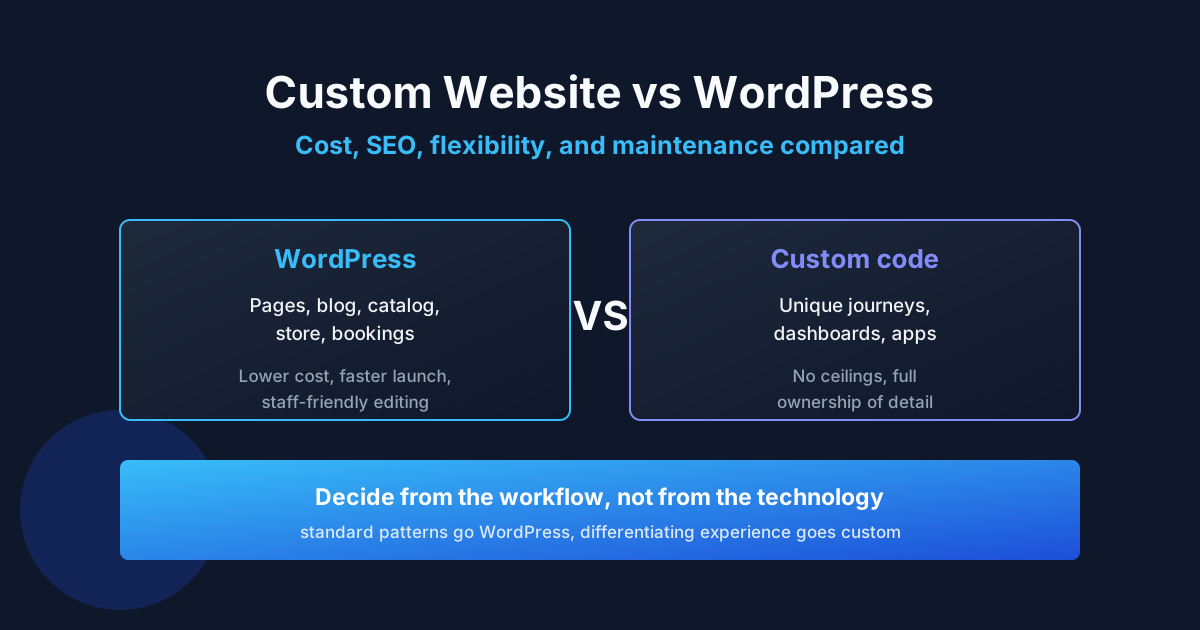
A hybrid approach is common: use a proven CMS for editorial content, a hosted payment provider for transactions, and custom code only for the workflow that creates competitive value. This keeps the build smaller without forcing the business into a template ceiling.
How the Custom Website Development Process Works
The process should move from business decisions to technical decisions, then from a small validated release to broader functionality. Coding before the scope, content, and success criteria are clear is the fastest way to create rework.
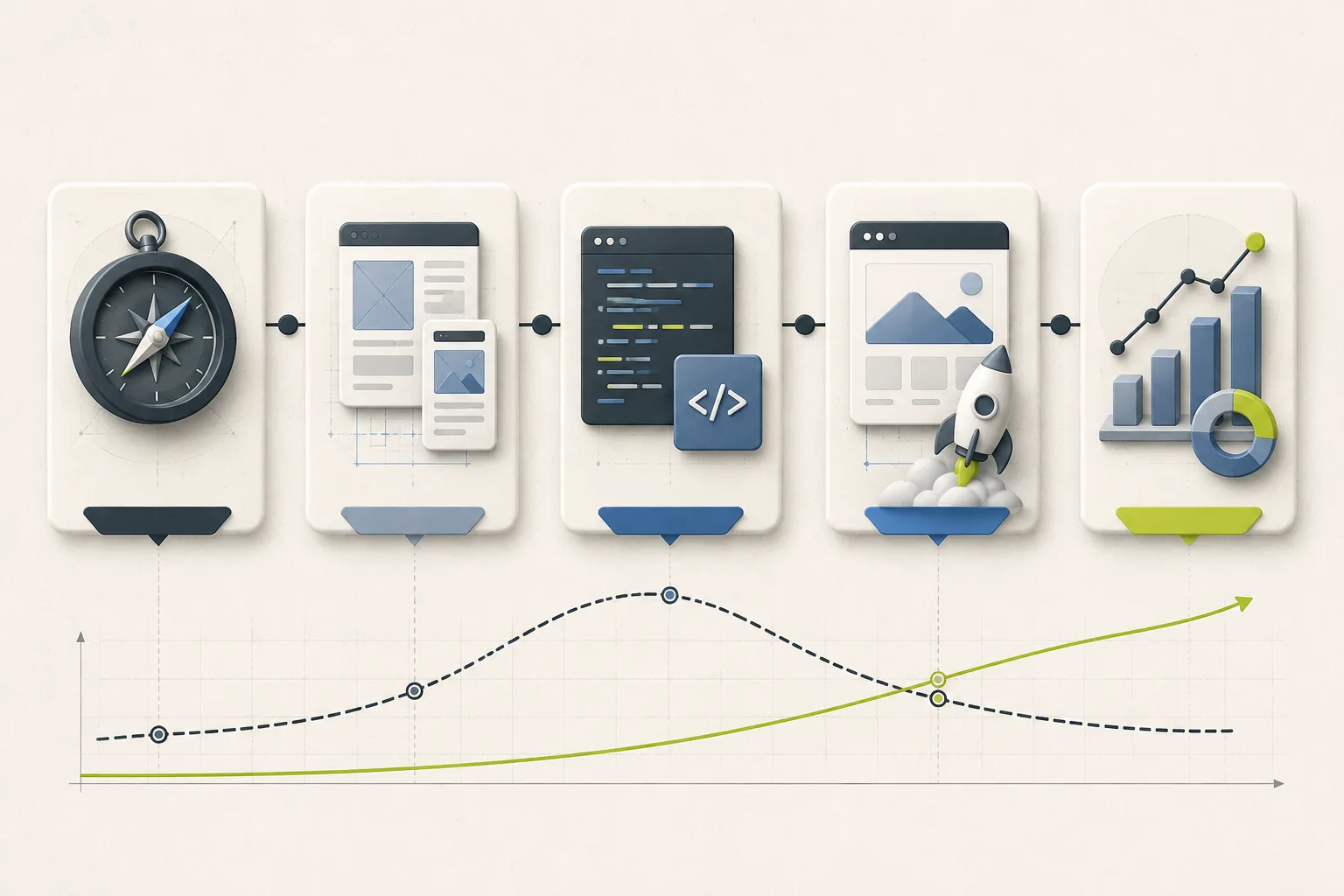
A custom website moves from discovery and design through build, launch, and ongoing improvement.
- Define the business outcome. Decide whether the site should generate qualified leads, sell products, reduce support requests, collect applications, or support an ongoing product.
- Map users and workflows. Describe how a visitor arrives, what they need to know, what action they take, and what happens after submission or purchase.
- Create the content and page model. Build the sitemap, page inventory, content requirements, calls to action, and rules for reusable content.
- Prototype the critical path. Wireframe the pages and flows that determine whether the project works, such as quote requests, checkout, booking, onboarding, or account management.
- Choose the smallest sensible architecture. Select frameworks, hosting, database, CMS, integrations, and authentication based on the requirements—not on novelty.
- Build in vertical slices. Deliver a complete usable path, including frontend, backend, validation, analytics, and error handling, before adding secondary features.
- Test with real scenarios. Check mobile layouts, keyboard access, forms, permissions, slow connections, failed payments, empty states, and recovery from errors.
- Launch with ownership in place. Configure the domain, hosting, backups, analytics, redirects, monitoring, documentation, and access for the client.
For planning and basic web standards, the MDN web development curriculum is a useful reference. It reinforces an important principle: structure, styling, interactivity, and publishing are related tasks, but they are not the same task.
How Much Does Custom Website Development Cost?
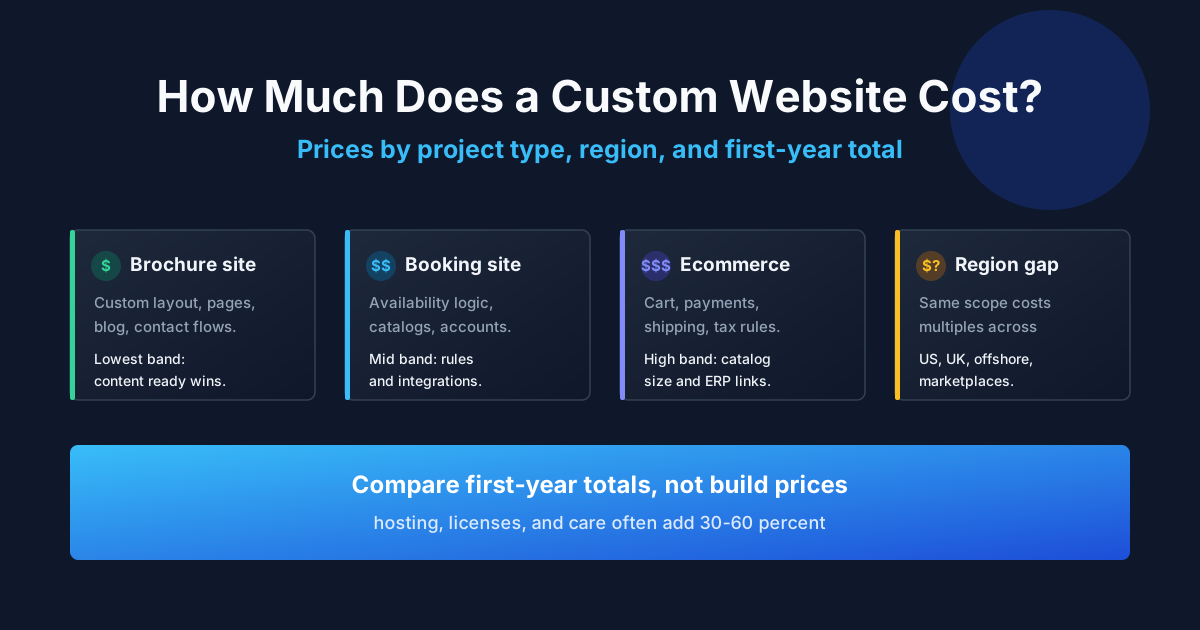
In the US market, a custom website can range from roughly $5,000 to $80,000 or more in 2026 planning estimates, depending on whether it is a focused marketing site, a content platform, an ecommerce system, or a web application. These are planning ranges, not fixed quotes; the number of workflows and integrations usually matters more than the number of pages.
| Project scope | Typical planning range (US, 2026 estimate) | What drives the price |
|---|---|---|
| Focused custom marketing site | $5,000–$15,000 | Strategy, custom UI, responsive frontend, forms, analytics, basic CMS |
| Content-heavy business platform | $12,000–$30,000 | Reusable content types, search, editorial roles, migration, SEO templates |
| Custom ecommerce website | $20,000–$60,000+ | Catalog, checkout, payments, tax, inventory, fulfillment, customer accounts |
| Portal or web application | $30,000–$80,000+ | Authentication, permissions, dashboards, workflows, APIs, notifications |
The largest cost drivers are custom backend behavior, third-party integrations, data migration, ecommerce rules, multiple user roles, content production, and the level of testing required. A polished landing page with six sections is not financially comparable to a portal with account permissions and transaction history.
To make quotes comparable, ask each provider to separate discovery, design, development, content migration, launch, and ongoing support. A low initial quote can become expensive if it excludes content, QA, integrations, accessibility work, or post-launch fixes.
How Long Does a Custom Website Take?
A focused custom marketing website often takes 6–12 weeks from approved scope to launch; a content platform or ecommerce build may take 10–20 weeks; a web application can take several months. The timeline depends on decision speed, content readiness, integration access, and review cycles as much as on coding capacity.
- Week 1–2: discovery, requirements, sitemap, technical constraints, and success metrics.
- Week 2–4: wireframes, visual direction, content preparation, and approval of the critical path.
- Week 4–8: frontend and backend development, integrations, content entry, and internal QA.
- Final 1–3 weeks: stakeholder review, accessibility and performance checks, launch preparation, redirects, analytics, and handover.
These ranges assume an engaged client and a reasonably stable scope. New features added during implementation, late brand changes, missing content, or delayed access to third-party systems can extend the schedule without any coding problem.
Technology Choices That Affect the Result
The best technology stack is the simplest stack that satisfies the product requirements, the team’s skills, the hosting model, and the expected maintenance burden. A custom website does not require an exotic framework.
- Frontend: choose a component-based approach when pages share behavior or when the interface will evolve; use semantic HTML and responsive CSS as the foundation.
- Backend: add server-side logic when the site must authenticate users, validate sensitive data, process workflows, or connect to private systems.
- Database: model data around real business entities and ownership rules instead of storing everything as unstructured page content.
- CMS: use one when non-technical staff need to update content; define roles, previews, revisions, and publishing permissions.
- Hosting: choose a platform with clear backups, logs, deployment access, environment separation, and a cost model the owner can understand.
- Integrations: document what happens when an API is unavailable, a payment fails, a webhook arrives twice, or a user abandons a form.
Technology should remain replaceable where possible. Keep domain ownership, source code, database exports, analytics, and deployment credentials under the client’s control so a future developer can continue the work.
SEO, Accessibility, Performance, and Security
These qualities are easiest to achieve when they are part of the build definition, not a cleanup task after launch. A custom website should be understandable to search engines, usable with assistive technology, fast for real users, and resistant to common application risks.
- SEO: define page purpose, headings, titles, descriptions, canonical URLs, internal links, structured content, redirects, and an XML sitemap. Google’s SEO Starter Guide is a useful baseline, not a promise of rankings.
- Accessibility: use keyboard-accessible controls, visible focus states, meaningful labels, logical headings, sufficient contrast, and text alternatives. The W3C WCAG overview explains the current accessibility standard and its conformance model.
- Performance: optimize images, fonts, JavaScript, caching, server work, and third-party scripts. Measure field experience with Core Web Vitals rather than relying only on a developer laptop.
- Security: validate input on the server, protect sessions, limit permissions, store secrets outside source code, log important events, back up data, and test failure paths. OWASP’s Application Security Verification Standard provides a practical security requirements baseline.
Google’s current Web Vitals guidance treats loading, responsiveness, and layout stability as user-centered measurements. That makes performance a product concern: a slow quote form or unstable checkout can reduce completed actions even when the page looks attractive.
Four Realistic Custom Website Scenarios
Case 1: Service Business Replaces a Generic Lead Form
Initial situation: A regional commercial contractor receives inquiries from several customer types, but every visitor sees the same short contact form.
What was blocking growth: The sales team spends time asking basic qualification questions, and high-value requests are mixed with jobs the company does not serve.
Solution: The custom site introduces service-specific landing pages, a short qualification flow, project-type routing, CRM integration, and a clear fallback to a general inquiry. The form validates data before sending it and shows a useful confirmation state.
Result: The business receives more complete inquiries and spends less time sorting unsuitable leads. The key improvement is not custom animation; it is matching the website to the sales process.
Case 2: Ecommerce Brand Adds a Reliable Product Configuration Flow
Initial situation: A product company sells configurable items with options that change price, production time, and shipping requirements.
What was blocking growth: A standard product page cannot express valid combinations clearly, so customers submit incomplete orders and support staff correct them manually.
Solution: The custom experience separates product rules from presentation, calculates valid options, shows an updated estimate, passes the configuration to checkout, and records the final selection for fulfillment.
Result: Customers get an immediate answer and the operations team receives structured order data. The project can use a hosted payment provider while keeping the configuration logic custom.
Case 3: Professional Firm Turns Knowledge Into a Searchable Resource
Initial situation: A consultancy has years of reports and articles spread across PDFs, old pages, and staff folders.
What was blocking growth: Visitors cannot find the right resource, editors duplicate content, and the site has inconsistent metadata and internal links.
Solution: The team defines reusable content types, topic relationships, search filters, author and date fields, redirects, and editorial permissions. The visual layer remains restrained so content clarity carries the experience.
Result: Editors can publish consistently, visitors can filter by need, and the company has a structure that can support future content without another migration.
Case 4: Startup Launches a Customer Portal Alongside Its Marketing Site
Initial situation: A B2B startup needs a public website for demand generation and a private area where customers can view projects, documents, and service status.
What was blocking delivery: Treating the portal as “a few extra pages” would create weak permission rules, duplicated data, and an unclear boundary between public and private content.
Solution: The project separates public content from authenticated application routes, models customer ownership explicitly, adds role-based permissions, and launches the smallest useful portal workflow before adding reports and automation.
Result: The marketing team can edit public pages without touching customer data, while customers get a clear self-service path. The architecture is ready for later features because the boundary was defined early.
Common Mistakes in Custom Website Projects
Most custom website failures begin with unclear decisions, not with a lack of coding skill. These mistakes are preventable when the project is scoped around outcomes and testable deliverables.
- Starting with the homepage. A homepage moodboard cannot replace a sitemap, user flow, content plan, and definition of success.
- Confusing page count with scope. Ten simple pages may be easier than one account workflow with permissions, payments, and notifications.
- Adding features before validating the critical path. Build the action that creates value first; postpone dashboards, animations, and edge cases that have no evidence behind them.
- Leaving content until the end. Real copy exposes layout, hierarchy, translation, and SEO problems earlier than placeholder text.
- Ignoring ownership. The client should control the domain, hosting account, analytics, source repository, database exports, and third-party billing.
- Skipping failure states. Empty results, invalid input, failed payments, expired sessions, and unavailable APIs need designed behavior.
- Treating launch as the finish line. Updates, monitoring, backups, content governance, and security reviews are part of the operating cost.
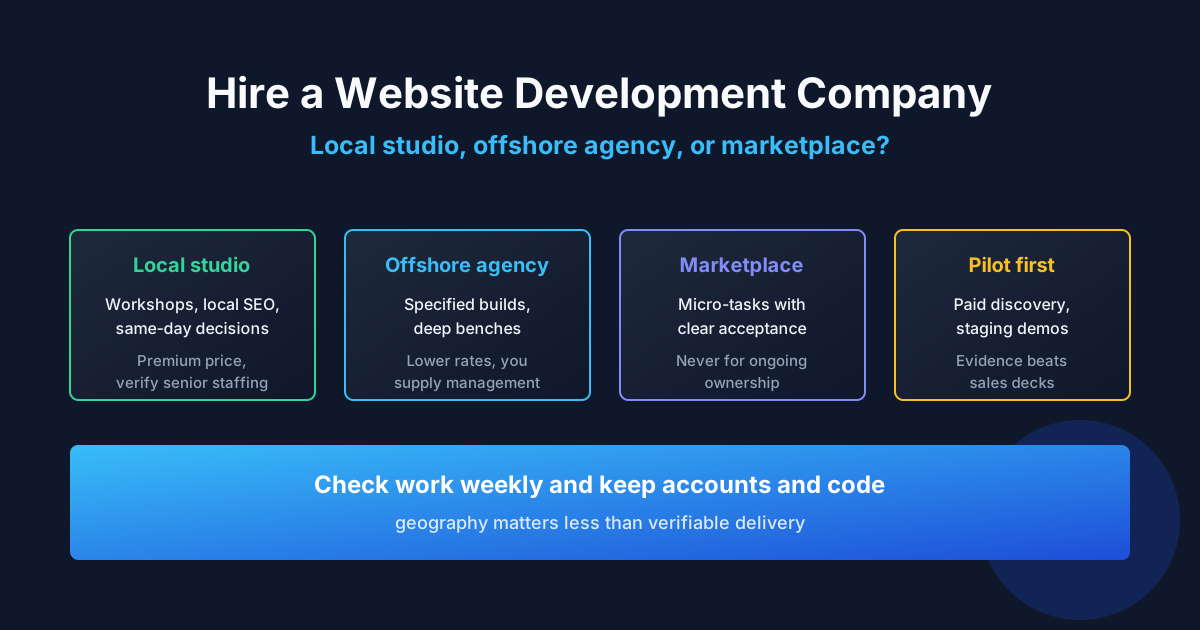
How to Choose a Custom Website Developer
Choose a developer or team that can explain trade-offs in business language, show how they reduce scope risk, and make ownership clear. A portfolio of attractive screens is useful, but it does not prove that the underlying workflows are reliable.
- Ask for a written interpretation of the business problem before discussing a final price.
- Request one example of a project where the team recommended not building a feature.
- Ask who owns the repository, hosting, domain, analytics, and deployment credentials.
- Confirm what is included in QA, accessibility checks, performance testing, launch support, and maintenance.
- Ask how they handle change requests, third-party failures, security updates, and documentation.
- Prefer a proposal that separates assumptions, deliverables, exclusions, milestones, and acceptance criteria.
Before signing, give the developer a realistic example of a user task and ask them to describe the data, screens, edge cases, and success signal involved. The quality of that conversation often reveals more than a long list of technologies.
Expert Advice: Keep the First Release Small but Complete
The most economical custom website is not the one with the lowest hourly rate; it is the one that reaches a useful outcome with the fewest unnecessary moving parts. Define one primary audience, one main action, one reliable data path, and one way to measure whether the site is working.
Then make that path complete: include validation, error handling, analytics, accessibility, mobile behavior, ownership, and a plan for content updates. A smaller complete release gives you evidence for the next investment. A large incomplete release gives you more assumptions to debug.
Practical rule: if a requested feature does not improve the primary user action, reduce a manual business cost, satisfy a real requirement, or create a measurable learning opportunity, move it out of the first release.
Frequently Asked Questions
What is the difference between custom website design and custom website development?
Custom website design defines the visual and interaction experience; custom website development implements that experience and adds the frontend, backend, data, integrations, testing, and deployment needed to make it work.
Is a custom website the same as a website built from scratch?
No. A custom website can use established frameworks, hosted services, payment providers, and open-source components. The custom work is the solution built around your requirements, not the reinvention of every underlying tool.
How much does a custom website cost in the US?
A 2026 planning estimate is approximately $5,000–$15,000 for a focused custom marketing site, $12,000–$30,000 for a content-heavy business platform, and $20,000–$80,000 or more for ecommerce or portal functionality. The final quote depends on scope, integrations, content, and testing.
How long does it take to build a custom website?
A focused business site commonly takes 6–12 weeks after scope approval. Ecommerce, content migrations, integrations, and authenticated portals can take 10–20 weeks or several months depending on complexity and decision speed.
When should a small business choose custom development?
Choose custom development when the site must support a distinctive sales process, customer workflow, integration, calculator, booking flow, portal, or ecommerce rule that a builder cannot handle cleanly.
When is a website builder a better choice?
A builder is often better for a simple brochure site, temporary campaign, personal portfolio, or standard store where fast launch and low maintenance matter more than custom workflows.
Can a custom website use WordPress or another CMS?
Yes. A custom website can use WordPress or another CMS for content management while adding custom templates, components, integrations, or application features where needed.
What should be included in a custom website quote?
The quote should identify discovery, design, development, content migration, integrations, testing, launch, documentation, support, assumptions, exclusions, milestones, and how change requests are priced.
Who owns the code for a custom website?
Ownership depends on the contract. The client should explicitly receive rights to the project-specific code and content and retain access to the domain, repository, hosting, analytics, database, and third-party accounts.
Does custom development improve SEO automatically?
No. Custom code creates more control, but rankings still depend on useful content, technical quality, authority, search intent, links, and competition. SEO requirements should be included in the information architecture and implementation from the start.
How do I maintain a custom website after launch?
Maintenance may include dependency updates, security patches, backups, monitoring, content changes, analytics review, performance checks, and fixes for browser or third-party changes. Agree on the support model before launch.
Can AI tools reduce custom website development cost?
AI tools can accelerate drafting, prototyping, testing, and routine implementation, but they do not remove the need for requirements, architecture, security review, accessibility testing, ownership, or accountability for production behavior.
What is the first step before hiring a developer?
Write a one-page brief describing the audience, business outcome, primary user action, required integrations, existing assets, launch constraint, and how success will be measured. This gives developers enough context to ask useful questions and produce comparable proposals.
Plan the Right Custom Website for Your Business
A custom website is a business system when it changes how people discover, evaluate, buy from, or work with your company. Start with the workflow that matters most, keep the architecture understandable, and make quality and ownership part of the deliverable.
When you are ready to turn the brief into a realistic scope, compare developers for your custom website project and evaluate them on communication, technical judgment, and the ability to deliver a maintainable result—not only on the lowest quote.
Written by Michael Melnyk
Senior IT Technical Writer & Technology Analyst
Senior Technical Writer and IT Industry Analyst with over 7 years of experience analyzing software engineering ecosystems, tech leadership models, and developer procurement frameworks.