Custom Website vs WordPress: Which One Your Business Actually Needs
WordPress covers most small-business websites; custom code wins where the customer experience itself differentiates you. This comparison covers cost, SEO, flexibility, maintenance, and migration in both directions.

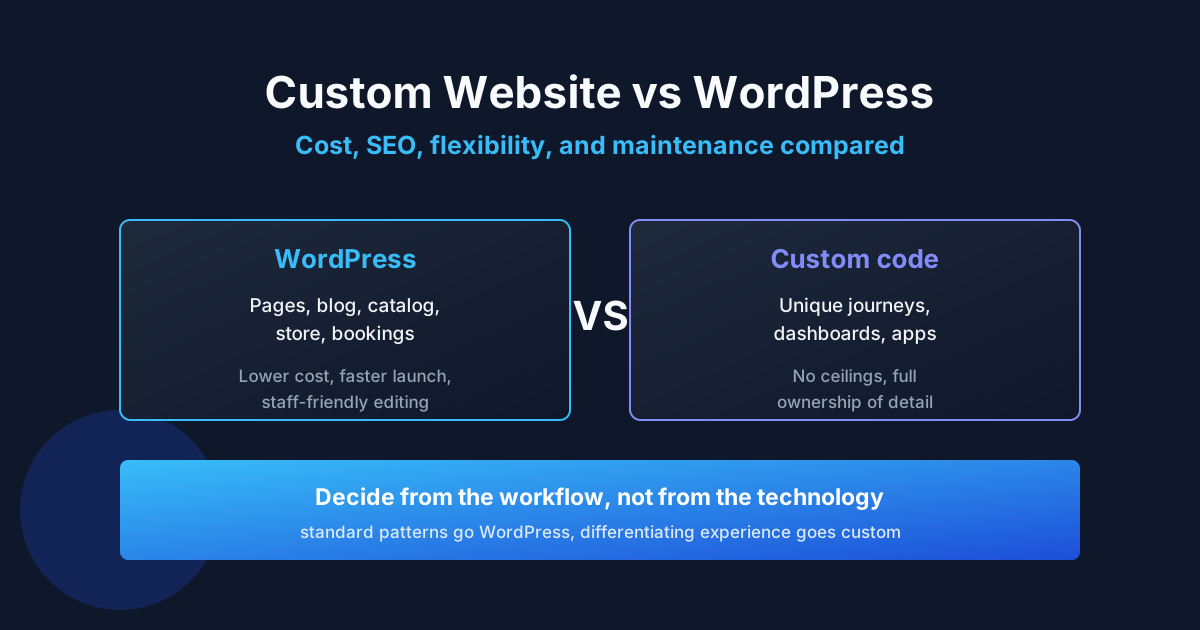
Custom website vs WordPress comes down to one question: does your site need standard publishing and commerce workflows, or a customer experience no existing platform can assemble? WordPress wins the first case on cost, speed, and maintainability; custom code wins the second, where the experience itself is the product. Most rebuilds happen because this decision was made on price alone instead of on fit. Reviewed September 2026. Budget figures below are illustrative planning examples, not market averages or ProofDevs quotes.
Searches like “wordpress vs custom website,” “difference between wordpress and custom website,” and “custom website or wordpress” all ask the same thing from different angles — and Reddit threads on the topic rarely converge because the right answer depends on the business, not the technology. This comparison gives you the decision framework: what each option really means, how they differ on cost, SEO, and maintenance, and when to migrate in either direction. For the money side in depth, see our custom website price breakdown; for hiring the WordPress path well, see our WordPress developer guide.
Custom website vs WordPress: the short answer
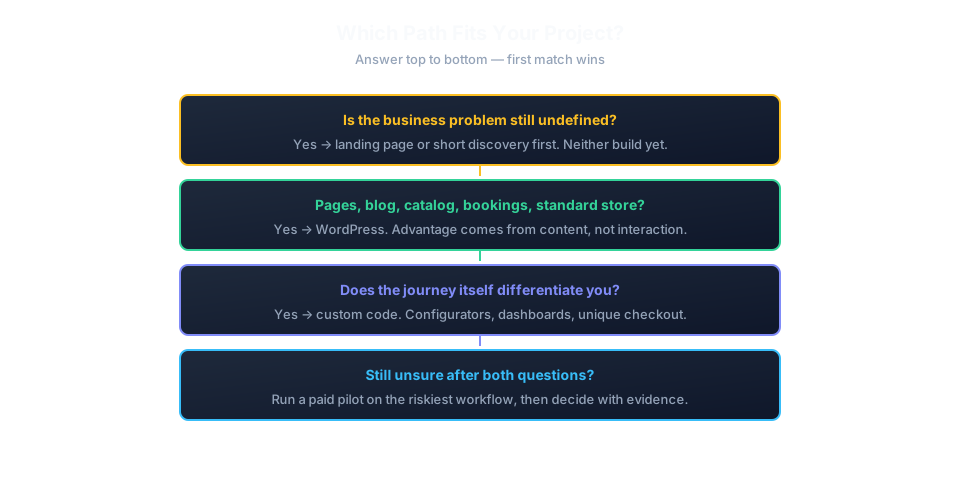
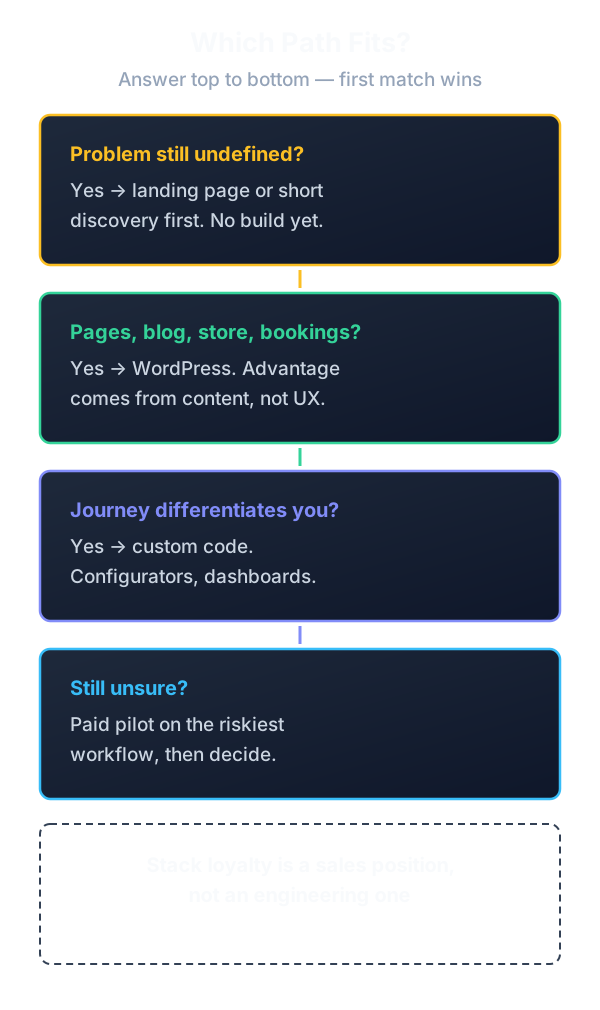
Choose WordPress when your site is built from known patterns — pages, blog, catalog, bookings, memberships, or a WooCommerce store — and your advantage comes from content, service, or price rather than from novel interaction. Choose a custom website when the customer journey itself differentiates you: configurators, dashboards, real-time tools, unusual checkout logic, or performance requirements a CMS stack cannot meet.
WordPress is a content system with thirty years of accumulated solutions; custom code is a blank page with full responsibility. The first saves money on standard problems, the second removes ceilings on unique ones. Problems start when businesses buy one while needing the other.
What each option really means
A WordPress website means content managed in WordPress with a theme for layout — configured, child, or custom-built — plus plugins for forms, SEO, backups, and commerce. “Custom WordPress” usually means custom theming and selective custom code inside the WordPress way of doing things: hooks, custom post types, and template files. A custom website means the frontend and often the backend are built for this project specifically, with no CMS conventions to follow or fight.
The confusion point: a heavily customized WordPress site and a lightly custom-coded site can cost the same while behaving very differently over five years. Judge by maintenance burden and flexibility ceilings, not by launch-day screenshots.
Side-by-side comparison
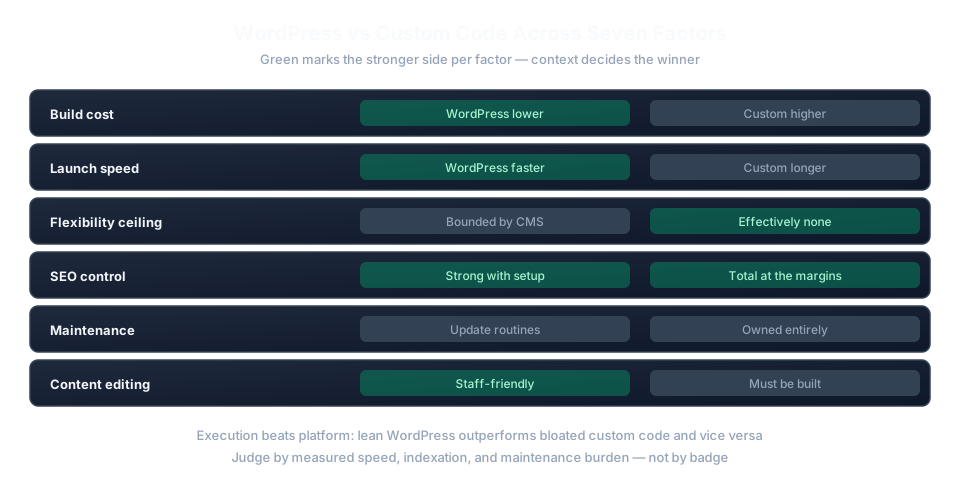
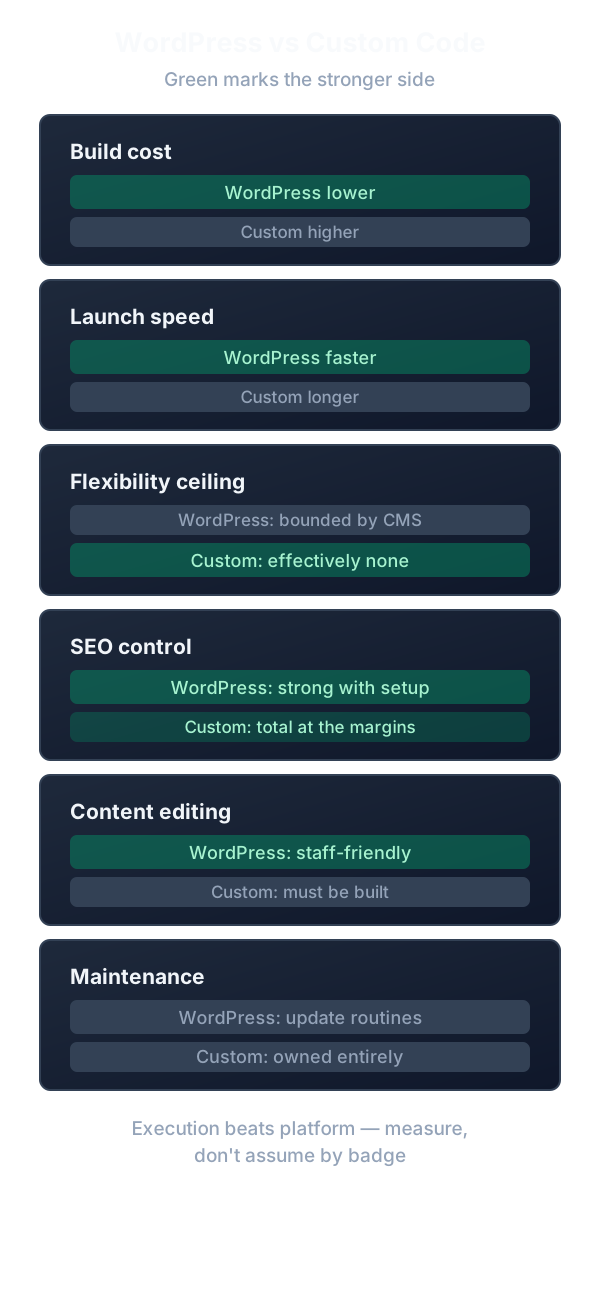
| Factor | WordPress | Custom website |
|---|---|---|
| Build cost | Lower: themes, plugins, and WooCommerce absorb standard work | Higher: every layout and flow is engineering time |
| Launch speed | Weeks with ready content; patterns already exist | Longer; everything is designed and built once |
| Flexibility ceiling | High but bounded by CMS conventions and plugin ecosystem | Effectively none, at the price of owning every detail |
| SEO control | Strong with correct setup; plugins cover most needs | Total, including performance budgets and structured data |
| Maintenance | Core, theme, and plugin updates on a routine; known risks | Dependency updates and infrastructure you own entirely |
| Content editing | Staff-friendly admin out of the box | Requires a built or integrated editing experience |
| Vendor independence | Portable between hosts; skills widely available | Depends on documentation and code quality left behind |
Cost compared
A custom WordPress website costs less than a fully coded equivalent because standard commerce, publishing, and form behavior arrive pre-built — the budget concentrates in customization, content, integrations, licenses, and care. Fully custom code bills every behavior from zero, which is fair when the behavior is genuinely new and wasteful when it reinvents checkout, blogging, or user accounts.
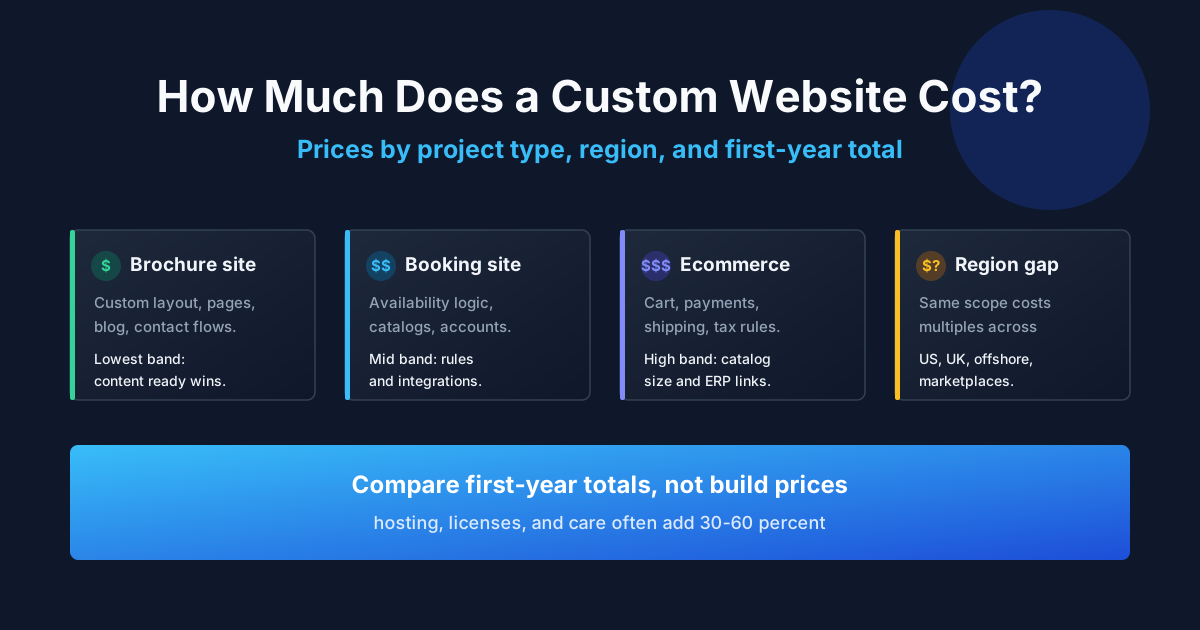
Illustrative planning example: a brochure-plus-blog site might take 40 hours of WordPress configuration and theming versus 120 hours of custom frontend and CMS-equivalent work at the same rate — roughly a 3x gap before content and care. A WooCommerce store narrows the gap further against custom commerce, since payments, carts, and order admin already exist. See the full custom website cost breakdown by project type and region for the complete price map.
Is WordPress good for SEO?
Yes — with correct setup, WordPress is a strong SEO platform: controllable URLs, sitemaps, metadata, schema plugins, and fast-enough themes cover nearly every small-business need. Custom code wins only at the margins that matter to few: extreme performance budgets, exotic structured-data setups, or edge-rendered architectures. Most “WordPress vs custom website SEO” debates confuse platform with execution — a slow bloated theme loses to lean custom code, and lean WordPress beats bloated custom code just as easily.
Judge SEO by measured output, not platform: PageSpeed / Core Web Vitals numbers, indexation of the pages that matter, and click-through from real queries. Follow the Google SEO starter guide fundamentals first; platform choice comes after.
When WordPress wins
- Content-led sites: blogs, case-study libraries, and service catalogs your staff must edit without developers.
- Standard commerce: WooCommerce covers catalogs, carts, payments, shipping, and taxes for most small stores.
- Bookings and memberships: mature plugins exist; custom code would reimplement them.
- Multilingual publishing: established translation workflows beat custom-built ones.
- Tight deadlines: patterns already exist, so launch depends on content, not invention.
When a custom website wins
- Differentiating interaction: configurators, calculators with proprietary logic, real-time collaboration, or dashboards.
- Performance as a feature: sub-second budgets on weak devices where every CMS layer costs milliseconds.
- Unusual commerce: custom pricing engines, subscriptions with complex rules, or marketplace mechanics.
- Integration-heavy products: the site is a frontend to systems no CMS plugin understands.
- Long-term platform risk: you outgrew plugin maintenance cycles twice and keep paying for workarounds.
If neither list clearly matches, the business problem may still be undefined — in which case a landing page or a short discovery beats either build. Our guide to hiring a developer for a small business or startup helps scope the smallest release that can prove value.
Migrating in either direction
WordPress-to-custom migrations usually chase performance, unique UX, or escape from plugin debt; custom-to-WordPress migrations chase editability, hiring availability, and lower maintenance. Both directions share the same risk list: URL changes without redirect maps, lost structured data, dropped metadata, broken integrations, and analytics discontinuity. Budget the migration as its own project — content audit, redirect map, SEO parity checks, and a rollback window — not as a side effect of the rebuild.
| Direction | Usual trigger | Biggest risk |
|---|---|---|
| Builder to WordPress | Checkout or SEO limits, data ownership needs | Content re-entry and URL restructuring without redirects |
| WordPress to custom | Performance ceilings, unique interaction requirements | Rebuilding editorial workflows the CMS gave you for free |
| Custom to WordPress | Maintenance fatigue, team changes, hiring costs | Losing bespoke behaviors no plugin reproduces exactly |
| Either to headless | Omnichannel content, app plus web from one backend | Paying for two systems — CMS plus custom frontend — indefinitely |
Time migrations around business seasonality, never before peak campaigns. Freeze feature work during the move, keep the old site readable until search consoles confirm the new URLs are indexed, and assign one owner to the redirect map — split responsibility here is how rankings leak away unnoticed.
Realistic decision scenarios
Dental clinic stays on WordPress
Situation: a clinic wants online booking and service pages that rank locally. Blocker: an agency quotes a fully custom build at triple the WordPress price. Fix: WordPress with a booking plugin, structured service content, and local SEO setup. Result: launch in five weeks; staff manages schedules and pages; custom code would have added cost with zero patient-visible benefit.
SaaS startup goes custom
Situation: a startup needs an interactive product tour with live data widgets for enterprise demos. Blocker: WordPress page builders cannot render the widgets at the required speed. Fix: custom frontend with a headless content setup for marketing pages. Result: demo conversion doubles; marketing still edits copy without developers.
Store migrates from builder to WooCommerce
Situation: a growing gift store hits checkout customization limits on a hosted builder. Blocker: shipping rules and gift options the platform cannot express. Fix: WooCommerce migration with product import, redirect map, and payment reconfiguration. Result: checkout conversion recovers within a month; the owner controls data and extensions.
Typical mistakes
- Choosing on launch price alone. Five-year maintenance dwarfs most build-price differences.
- Custom-coding standard behavior. Rebuilt blogs, carts, and auth are the most expensive way to get solved problems.
- Forcing WordPress into app behavior. Plugin towers that emulate dashboards become unmaintainable.
- Ignoring content operations. Who edits, translates, and publishes matters more than the stack.
- Migrating without a redirect map. URL changes without redirects donate rankings to competitors.
- Judging SEO by platform. Measure speed, indexation, and clicks; the badge on the stack is irrelevant.
- Buying custom for a brochure site. Novelty nobody asked for, billed by the hour.
- Staying on WordPress out of inertia. Two rounds of workaround spending is the signal to reassess.
- Skipping staging on either stack. Updates break revenue pages regardless of platform.
- No exit documentation. Custom code without docs and WordPress without credential maps trap you equally.
Expert advice
Ask each candidate the same scenario question: “Show me a project where you recommended against your own preferred stack.” A WordPress specialist who can describe steering a client toward custom code — or a custom shop that sent someone to WordPress — demonstrates judgment instead of inventory to sell. Stack loyalty is a sales position, not an engineering one.
FAQ: custom website vs WordPress
WordPress or custom website — which is better?
Neither universally. WordPress wins for content-led sites, standard commerce, and tight deadlines; custom code wins where the customer experience itself differentiates you. Decide from the workflow, not from the technology.
What is the difference between WordPress and a custom website?
WordPress assembles your site from a CMS, themes, and plugins; a custom website builds the frontend and backend specifically for your project. The practical difference is maintenance burden and flexibility ceilings over years, not launch-day appearance.
Is WordPress good for SEO compared to custom code?
Yes for nearly all small businesses: controllable URLs, sitemaps, metadata, and schema plugins cover the needs. Custom code leads only on extreme performance budgets or exotic architectures. Measure output, not platform.
How much does a custom WordPress website cost?
Less than fully coded builds, since themes, plugins, and WooCommerce absorb standard work. Budget concentrates in customization, content, integrations, licenses, and ongoing care rather than reinvented basics.
Should I migrate from WordPress to a custom website?
Only with a concrete trigger: performance ceilings, UX no plugin can deliver, or plugin-debt costs exceeding rebuild. Budget migration separately — redirect maps, SEO parity, and rollback — not as a rebuild side effect.
Can I move from a custom site to WordPress?
Yes, typically to regain editability and lower maintenance. Audit content types, map URLs, preserve structured data and integrations, and keep analytics continuous across the switch.
WordPress vs custom CMS — what is the difference?
A custom CMS is bespoke editorial tooling you must maintain forever; WordPress is maintained by its ecosystem. Build a custom CMS only when editorial workflows are themselves the product.
Is WooCommerce enough for my store or do I need custom ecommerce?
WooCommerce covers most small stores: catalogs, carts, payments, shipping, taxes. Go custom when pricing engines, subscription logic, or marketplace mechanics exceed what extensions express cleanly.
Does a custom website rank better on Google?
No platform ranks better by itself. Rankings follow content relevance, speed, indexation, and authority. Either stack wins with correct execution and loses without it.
WordPress vs website builders — where does that fit?
Builders sit below WordPress in flexibility: fine for brochure sites, limiting for growth. Our builder comparison maps where Wix, Squarespace, and Shopify stop being enough.
What about AI builders instead of either option?
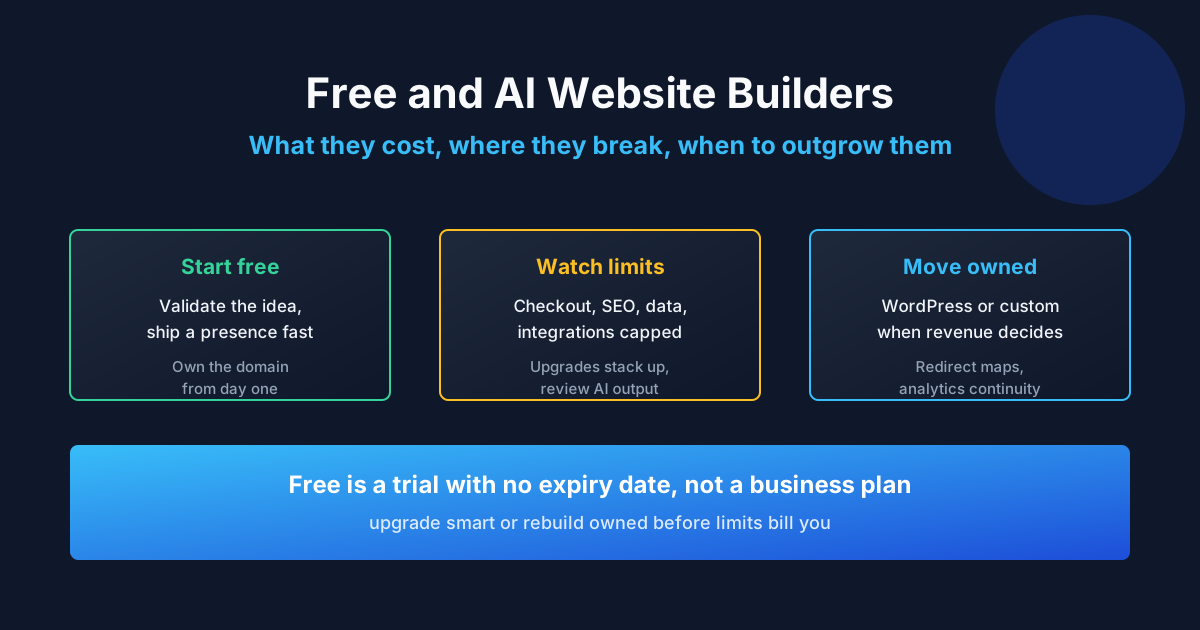
AI builders draft starting points fast for simple sites, but output still needs review, real content, and launch ownership. Our Lovable production guide covers the path from AI prototype to shippable product.
How do I choose a developer for either path?
Hire around evidence of comparable shipped work and a paid pilot with observable acceptance — regardless of stack. A developer who can argue against their preferred platform is usually the safer choice.
Stuck between WordPress and custom code for your specific project? Send the brief to ProofDevs for a stack recommendation tied to your workflow, not to our preferences.
Written by Michael Melnyk
Senior IT Technical Writer & Technology Analyst
Senior Technical Writer and IT Industry Analyst with over 7 years of experience analyzing software engineering ecosystems, tech leadership models, and developer procurement frameworks.