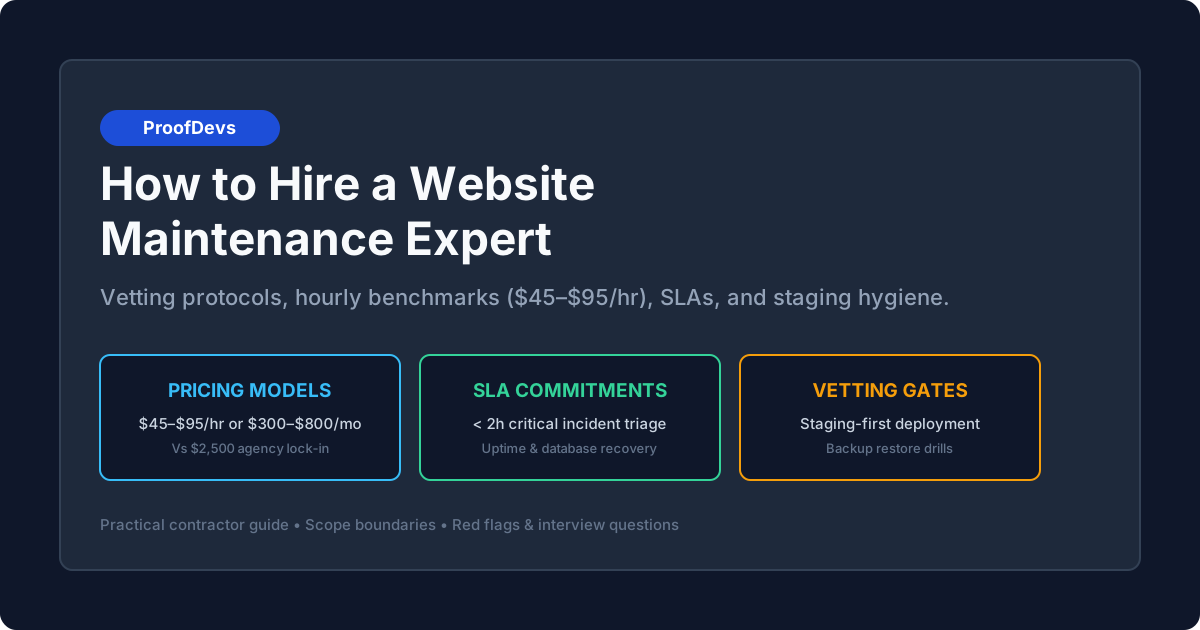
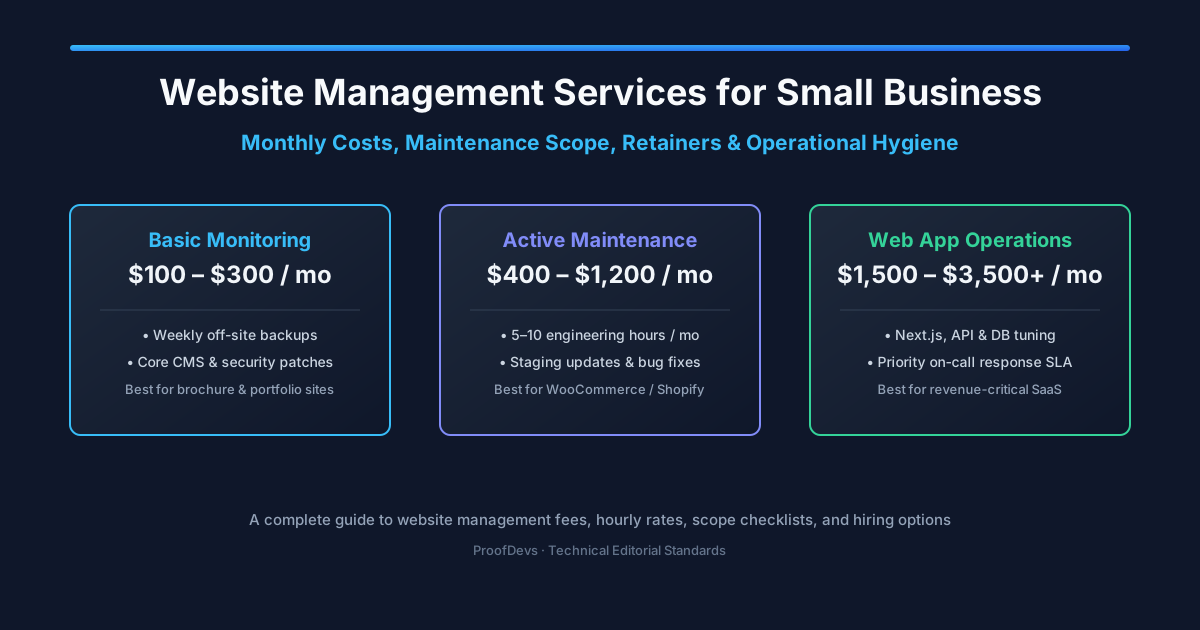
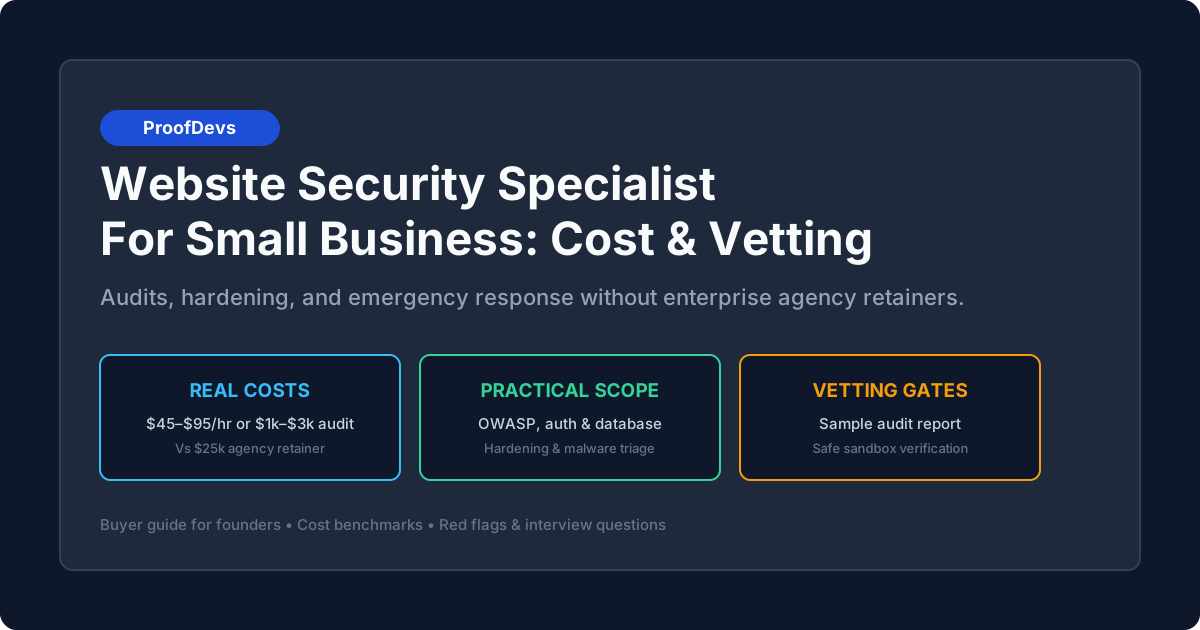
Hire a Website Administrator: CMS Updates, Security Audits, Daily Operations, and Retainer Rates
When an online business scales beyond basic DIY page edits, business owners waste hours firefighting broken checkout webhooks, plugin collisions, and expired SSL certs instead of driving sales. Here is what a dedicated website administrator handles, how to structure hourly vs monthly retainers ($35–$95/hr), and how to verify technical access controls.


A website administrator is the operational custodian of an organization's digital storefront, responsible for daily uptime, CMS health, security hardening, content deployment, and third-party integration stability. Unlike a software engineer who builds custom codebases or a systems administrator who manages bare-metal server infrastructure, a website administrator focuses on continuous operational reliability. For small to mid-sized businesses, e-commerce stores, and digital marketing teams, hiring an independent site administrator eliminates the constant threat of silent form failures, broken checkout workflows, unpatched plugin vulnerabilities, and accidental configuration drift.
Most commercial websites do not fail because of major infrastructure collapses; they degrade through operational neglect. A payment gateway updates its webhook signature, a content editor uploads uncompressed multi-megabyte imagery that crashes Core Web Vitals, an auto-updated CMS plugin conflicts with the active theme, or an SSL certificate expires unmonitored over a weekend. Delegating these recurring obligations to an in-house team without web expertise wastes valuable executive bandwidth and leaves mission-critical revenue funnels unguarded. Connecting with a dedicated website maintenance and support developer or contracting on a flexible hourly developer arrangement provides immediate technical liquidity without agency overhead.
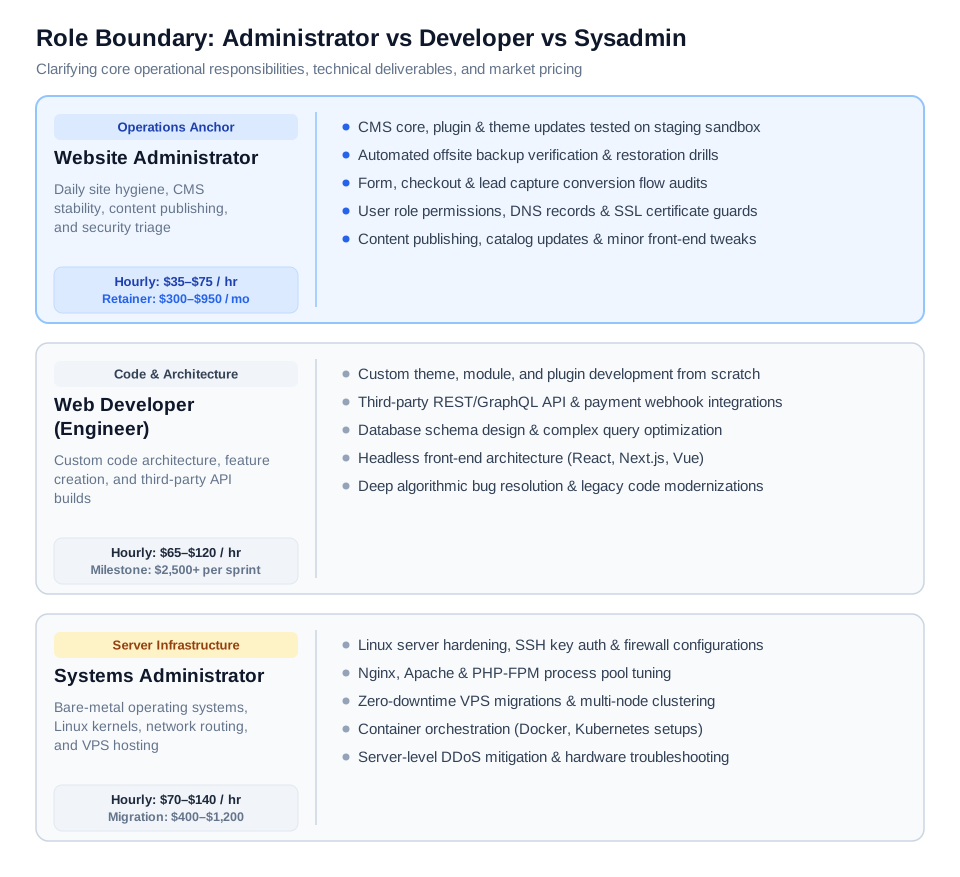
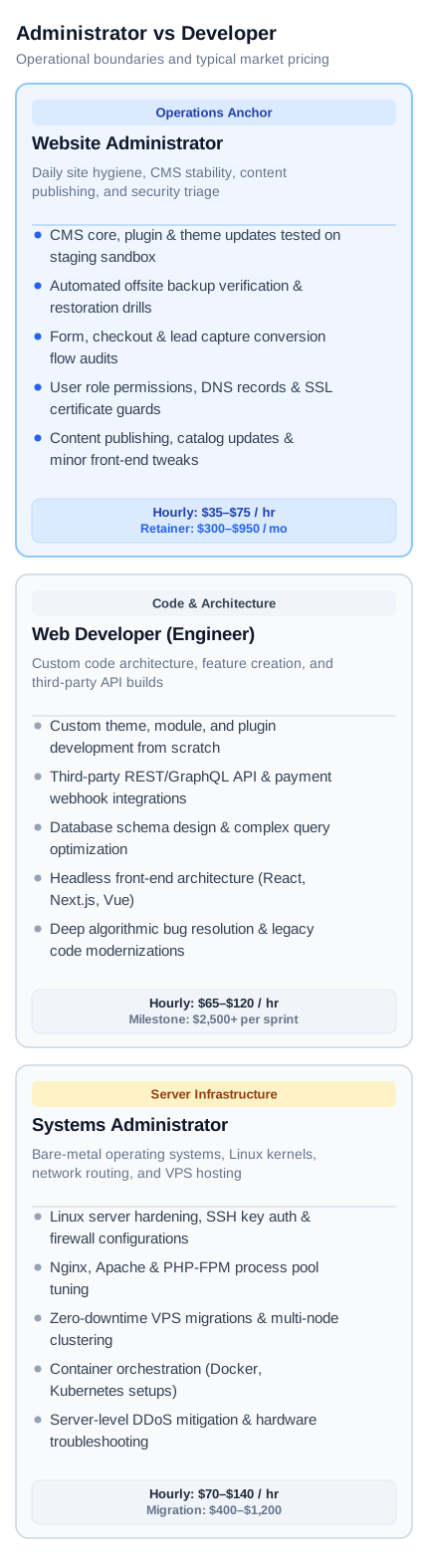
Figure 1: Clear operational boundaries across technical roles — distinguishing day-to-day site hygiene and content operations from feature programming and bare-metal server infrastructure.
What Is a Website Administrator?
A website administrator (historically termed a webmaster) is a technical operations specialist who maintains the stability, security, functionality, and performance of a live website on an ongoing schedule. Rather than writing software modules from scratch, an administrator audits live services, manages user permissions, enforces automated offsite backup routines, coordinates staging updates, and responds to production glitches under strict service agreements.
For a non-technical founder or operations manager, having a dedicated site administrator transforms the website from an unstable liability into a dependable commercial engine. When marketing launches a paid traffic campaign, the administrator verifies that landing pages resolve under 1.5 seconds, tracking pixels fire cleanly, and checkout forms deliver customer leads into CRM software. When unexpected bugs occur, the administrator diagnoses whether the defect stems from a caching header, DNS propagation delay, or third-party API outage, resolving the failure before organic traffic drops. If you are experiencing an immediate production freeze, you can submit an urgent request for emergency website bug fixes and recovery.
Website Administrator vs Web Developer vs Sysadmin: Who Does What?
The primary hiring mistake non-technical business owners commit is misdiagnosing which technical discipline they need, leading to inflated quotes or incomplete deliverables. While the titles overlap in casual conversation, their commercial scopes, tooling, and pricing diverge substantially.
| Role | Primary Mandate | Day-to-Day Deliverables | Typical Pricing (2026) | When to Hire |
|---|---|---|---|---|
| Website Administrator | Site health, operations, content hygiene, and security triage | Staging plugin updates, backup verification, form audits, SSL renewals, minor CSS/HTML tweaks, user role scoping | $35–$75 / hr $300–$950 / mo retainer |
Your site is live; you need ongoing peace of mind, reliable updates, and fast incident response without building new apps. |
| Web Developer | Custom software engineering, architecture, and feature creation | Custom theme coding, REST/GraphQL API endpoints, database schema design, headless frontends (React, Next.js) | $65–$120 / hr $2,500+ per milestone |
You need brand-new bespoke functionality, third-party software syncs, or custom checkout architectures built from scratch. |
| Systems Administrator | Bare-metal operating systems, networking, and server hardening | Linux kernel tuning, Nginx/Apache configuration, multi-node VPS clustering, firewall rules, and container clusters | $70–$140 / hr $400–$1,200 migration |
Your server keeps crashing under load, you need a zero-downtime VPS cutover, or you must configure private database clusters. |
A website administrator operates directly at the intersection of business tasks and technical hygiene. If your company relies on platforms like WordPress, Shopify, Webflow, or Drupal, a senior site administrator possesses sufficient front-end HTML, CSS, JavaScript, and CMS architectural knowledge to resolve 90% of operational requests without pulling in an expensive senior software engineer. When server-level incidents occur, such as memory exhaustion or Nginx 502 errors, the administrator escalates to a specialized Linux server administrator to remediate kernel or proxy bottlenecks.
6 Core Responsibilities of an Effective Website Administrator
An effective website administrator prevents operational debt by establishing predictable maintenance rituals across six core domains. Without these disciplined procedures, business websites inevitably succumb to security vulnerabilities, slow page speeds, and broken user flows.
- 1. Staging-First CMS & Extension Patching: Applying core updates, theme patches, and security fixes on an isolated staging clone before deploying to the public production domain. This prevents plugin incompatibilities from triggering fatal white screens or checkout errors on live customer traffic.
- 2. Independent Offsite Backups & Disaster Recovery Drills: Managing automated daily database dumps and weekly filesystem archives stored in offsite storage (such as Amazon S3, Backblaze B2, or Cloudflare R2), completely isolated from the hosting account. Crucially, the administrator conducts quarterly restoration drills to confirm the archive can be resurrected within 60 minutes during hardware failure.
- 3. Conversion Funnel & Form Auditing: Conducting weekly automated and manual end-to-end tests across lead capture forms, newsletter sign-ups, and payment checkout flows. Silent webhook failures or SMTP delivery glitches are identified and resolved before customer inquiries vanish.
- 4. Web Performance & Core Web Vitals Governance: Monitoring Largest Contentful Paint (LCP), Interaction to Next Paint (INP), and Cumulative Layout Shift (CLS) in Google Search Console. The administrator compresses oversized images, purges transient database bloat, and optimizes server-side page caching to maintain sub-second load times.
- 5. User Access Control & Security Shielding: Auditing user credentials, enforcing multi-factor authentication (MFA), isolating least-privilege roles for freelance writers or interns, and monitoring Web Application Firewall (WAF) logs in Cloudflare to mitigate malicious brute-force attempts and bot scraping.
- 6. Content & Catalog Operations: Formatting and publishing executive blog posts, updating product inventory metadata, refreshing promotional banners, configuring 301 redirects for discontinued products, and verifying that structured schema markup validates cleanly against Google Search Central documentation.
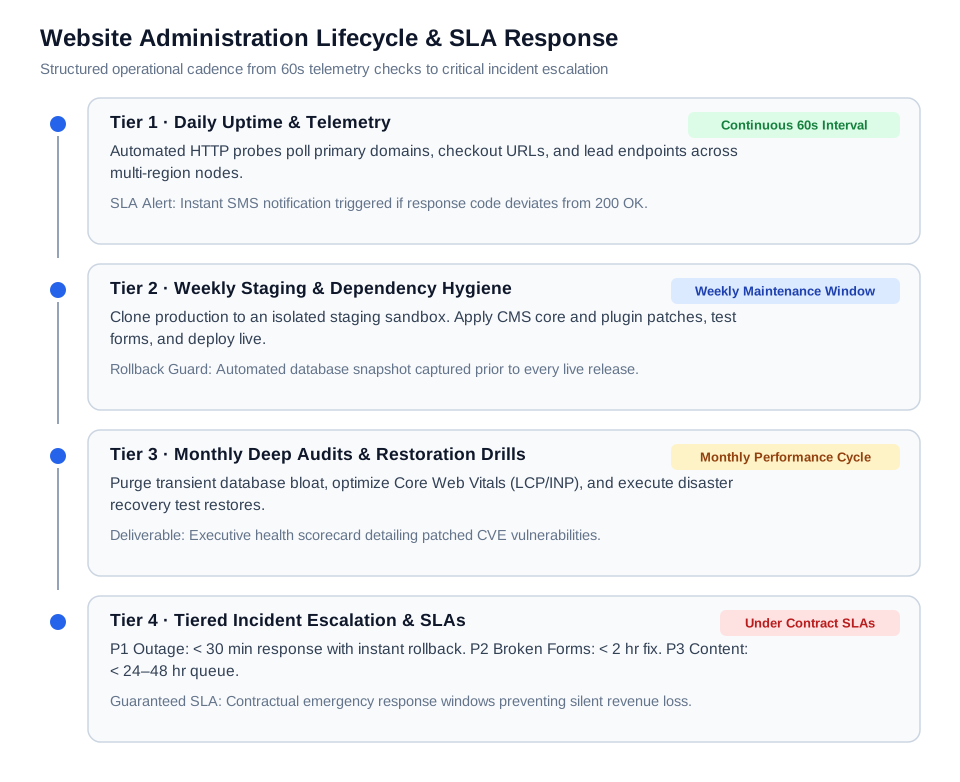
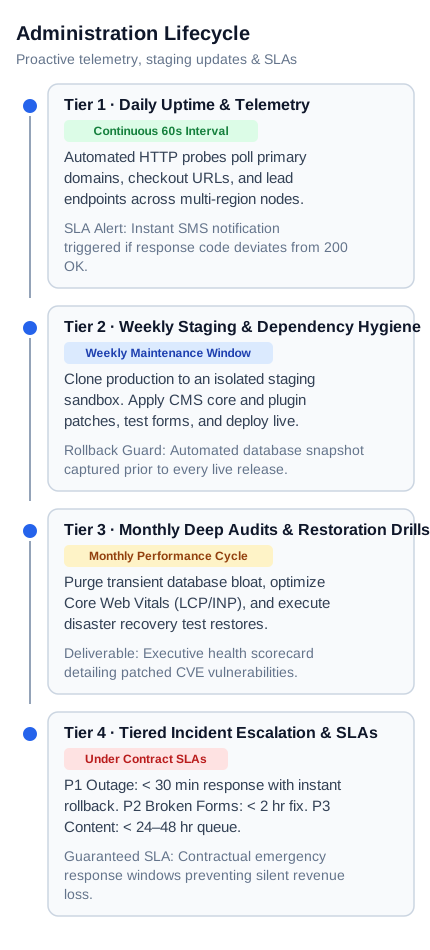
Figure 2: Continuous site administration lifecycle — pairing proactive 60-second telemetry and weekly staging hygiene with contractual incident escalation response windows.
Hiring Models Compared: Freelancer vs Fractional Retainer vs Agency vs Full-Time
Selecting the right organizational model for a website administrator depends on your site's monthly traffic volume, update frequency, and commercial exposure. Businesses typically evaluate four primary models when staffing this capability.
| Model | Monthly Cost Range | Response Window (SLA) | Operational Advantages | Trade-offs & Hidden Risks |
|---|---|---|---|---|
| Independent Hourly Contractor | $150–$600 / mo (paid per actual hour) |
Next business day (4–24 hours) |
Maximum capital efficiency; zero fixed payroll; pay exclusively for verified deliverables via hourly trackers | No guaranteed priority in emergencies unless paired with an on-call reservation fee |
| Fractional Retainer (Senior Specialist) | $350–$950 / mo (includes 5–15 dedicated hrs) |
1–4 hours guaranteed (24/7 on-call tier available) |
Proactive weekly health checks; priority ticket turnaround; direct communication via Slack; unused hours rollover | Requires disciplined scoping to ensure monthly allocated hours match ongoing operational volume |
| Traditional Web Agency | $1,500–$4,000 / mo (bundled support packages) |
24–72 hours (filtered via ticketing queues) |
Broad multidisciplinary coverage (designers, copywriters, SEOs available on request) | 300% markup on junior developer labor; slow ticket turnaround; tickets handled by account managers rather than engineers |
| Full-Time In-House Webmaster | $5,500–$8,000 / mo ($65k–$95k annual salary) |
Immediate during working hours | 100% internal alignment; deep brand familiarity; handles rapid ad-hoc tasks all day | Massive overhead (benefits, taxes, hardware, payroll); significant idle downtime for small to mid-sized sites |
For 85% of small and mid-market organizations, the fractional retainer model or flexible hourly pacing represents the commercial sweet spot. Rather than absorbing a $75,000 annual employee salary or paying an agency $2,500 monthly for junior ticket routing, contracting an experienced independent specialist on an on-call retainer arrangement ensures guaranteed emergency response times while keeping annual maintenance expenses under $6,000.
2026 Pricing Benchmarks: Hourly Rates ($35–$95/hr) and Retainer Tiers
Current market rates for professional website administrators in 2026 range from $35 to $95 per hour, dictated by regional labor dynamics, platform complexity, and contractual availability guarantees. Understanding these standard market rates prevents overpaying for routine tasks while avoiding cut-rate contractors whose mistakes jeopardize production data.
- Junior Administrator ($25–$35 / hr): Handles basic blog publishing, manual catalog data entry, and straightforward text updates on drag-and-drop website builders without touching server configurations.
- Mid-Level Administrator ($35–$60 / hr): Proficient in WordPress, WooCommerce, and Shopify ecosystems. They independently manage theme and plugin staging deployments, configure Cloudflare DNS and caching rules, repair broken responsive layouts, and set up automated offsite backups.
- Senior Web Operations Specialist ($65–$95 / hr): Seasoned engineers capable of managing headless architectures (Next.js, Supabase), complex relational databases (MySQL, PostgreSQL), custom webhook routing, and server-level Nginx optimization according to OWASP Top 10 security standards.
For monthly maintenance retainers, administrators typically structure packages across three predictable tiers:
- Essential Hygiene Retainer ($300–$450 / month): Includes 3–5 engineering hours per month. Covers 24/7 automated uptime monitoring, weekly offsite backups, monthly staging-tested CMS and plugin updates, and minor content adjustments with an 8–24 business hour turnaround.
- Growth & Active E-Commerce Retainer ($550–$950 / month): Includes 8–15 engineering hours per month. Adds weekly checkout flow audits, Core Web Vitals optimization, staging deployment of product campaigns, user permission governance, and a guaranteed 2–4 hour incident response SLA.
- High-Traffic Mission-Critical Retainer ($1,200–$2,200 / month): Includes 20–30 engineering hours per month. Designed for high-volume stores processing hundreds of daily orders. Features real-time database replication monitoring, dedicated Slack access, priority 30-minute emergency outage response, and monthly security vulnerability penetration audits.
Operational Cadence & Response SLAs: Proactive Maintenance vs Emergency Triage
A contractual Service Level Agreement (SLA) is the foundation of a successful engagement with an independent website administrator. Without explicit response windows, a business owner faces the terrifying scenario of an offline website during a peak sales event while their contractor is unresponsive.
The Proactive Cadence (Preventing Incidents)
- Continuous 60-Second Telemetry: Automated HTTP probes poll your primary domain, checkout URL, and API endpoints from multiple global nodes, triggering immediate SMS alerts if response codes deviate from 200 OK.
- Weekly Staging Maintenance: The administrator pulls a production snapshot to an isolated staging environment, applies all pending plugin and security patches, tests interactive forms, and deploys the verified build to live servers with zero customer downtime.
- Monthly Deep Audits: The administrator purges expired transient database records, verifies DNS SPF/DKIM/DMARC mail records, performs a disaster recovery test restore from offsite archives, and delivers an executive status report.
The Tiered Incident Escalation SLA (Emergency Triage)
- P1 — Critical Outage (Complete Site Crash or Database Lock): Response time under 30 minutes. The administrator initiates immediate triage, isolates the failure, and rolls back to the last verified healthy snapshot while diagnosing root cause in staging.
- P2 — Major Functional Degradation (Broken Checkout or Form Submissions): Response time under 2 hours. The site remains navigable, but commercial conversion is impaired. The administrator debugs payment webhooks, fixes SMTP mail servers, or bypasses corrupted scripts.
- P3 — Minor Visual or Content Defects (Typo, Layout Shift, Image Misalignment): Response time within 24–48 hours. Low-severity operational tasks queued during standard business hours without disrupting proactive maintenance schedules.
Security & Credential Handover: Preventing Access Hostage and Exploits
One of the most dangerous vulnerabilities small businesses face is credential hostage: granting total root ownership to an external freelancer or agency, only to find themselves locked out of their domain registrar, hosting servers, and CMS when a commercial dispute occurs.
- Never Surrender Root Registrar Ownership: Your corporate email must remain the administrative owner of your domain registrar (GoDaddy, Namecheap, Cloudflare) and cloud hosting. Grant the administrator delegated team access or an isolated technical sub-account, never master root credentials.
- Enforce the Principle of Least Privilege: Grant administrative access only inside systems strictly required for daily tasks. An administrator managing CMS blog updates does not need access to corporate Google Workspace or Stripe financial payout bank accounts.
- Enforce Multi-Factor Authentication (MFA): Require hardware security keys or authenticator apps (1Password, Bitwarden, Google Authenticator) on all administrative logins, prohibiting vulnerable SMS-based verification.
- Store Credentials in Encrypted Team Vaults: Never transmit passwords or SSH keys through unencrypted chat or email. Use secure password managers with audit logging so access can be revoked instantly if an engagement ends.
- Maintain Offsite Snapshot Isolation: Ensure your automated offsite backup repository (AWS S3 or Cloudflare R2) has separate, immutable access credentials that cannot be deleted from within the CMS admin console.
4 Real-World Case Studies: How Businesses Scale with a Site Admin
The following real-world scenarios illustrate how hiring an independent website administrator resolves persistent operational bottlenecks across diverse business models.
Case 1: Direct-to-Consumer Apparel Brand Overcoming Silent Checkout Glitches
- Initial Situation: A Shopify brand running paid Meta ad campaigns experienced an unexplained 35% drop in checkout conversions over three weeks, losing approximately $14,000 in sales.
- The Bottleneck: Three auto-updating marketing apps (currency converter, reviews, cart popup) triggered a JavaScript collision that froze checkout buttons on mobile Safari browsers.
- The Solution: A website administrator audited all third-party scripts on a development clone, removed redundant tags, deferred non-critical assets, and established automated end-to-end checkout monitoring.
- The Realistic Outcome: Checkout completion rebounded by 4.2 percentage points, mobile load times dropped from 4.8s to 1.3s, and automated alerts were instituted to catch script errors within 5 minutes.
Case 2: B2B Industrial Consultancy Rescued from the White Screen of Death
- Initial Situation: A consulting firm generating $80,000 monthly in client inquiries suffered a total website outage after an office manager clicked "Update All" in the WordPress dashboard.
- The Bottleneck: The server was running legacy PHP 7.4, while an updated plugin required PHP 8.2, triggering a fatal runtime error that took down both the public frontend and the `/wp-admin` dashboard.
- The Solution: An on-call site administrator accessed the server via secure SSH, temporarily disabled the conflicting directory to regain admin control, created a staging clone, upgraded PHP and server dependencies safely, verified theme compatibility, and pushed the site live.
- The Realistic Outcome: Production site restored within 45 minutes. The firm established an ongoing $400/month retainer, guaranteeing that all future CMS upgrades occur on staging with zero live customer interruption.
Case 3: Healthcare Provider Regaining Domain Control from a Hostile Vendor
- Initial Situation: A multi-location medical clinic terminating its agreement with an expensive agency discovered that the agency had registered the clinic's core domain and hosting under the agency CEO's private email.
- The Bottleneck: The vendor demanded a $6,000 "exit fee" and threatened to let the domain expire, which would have crippled patient appointment booking and email communications.
- The Solution: An independent site administrator guided the clinic through ICANN registrar dispute verification, cloned the entire website assets and database to a new clinic-owned AWS account, mapped DNS records with zero downtime, and secured 100% sovereign asset control.
- The Realistic Outcome: Domain transferred without paying the agency ransom, reducing monthly website operational costs from $2,200 to $450.
Case 4: SaaS Knowledge Platform Eliminating Core Web Vitals Search Penalties
- Initial Situation: An educational SaaS platform noticed organic Google search impressions dropping 28% following an algorithmic Core Web Vitals update.
- The Bottleneck: Content authors were uploading uncompressed 8MB PNG illustrations directly to blog posts. Cumulative Layout Shifts (CLS) exceeded 0.35, and Largest Contentful Paint (LCP) was clocked at 5.2 seconds on 4G networks.
- The Solution: A website administrator implemented automated next-gen WebP image compression, configured explicit width/height dimensions on all media containers to eliminate layout shifts, optimized Cloudflare edge caching, and instituted a strict editorial media upload checklist.
- The Realistic Outcome: Mobile LCP plummeted from 5.2s to 1.4s, and CLS dropped to 0.02, returning the entire domain into Google Search Console's "Good" status. Organic search traffic recovered over the subsequent 60-day crawl cycle.
Common Pitfalls When Hiring and Managing a Website Administrator
Business owners frequently make avoidable errors when sourcing and delegating responsibilities to a website administrator. Recognizing these failure modes protects your budget and technical infrastructure:
- Treating the Administrator as a Software Architect: Expecting a site administrator to develop custom algorithmic applications or complex database schemas. For deep software engineering, hire a specialized custom WordPress developer or full-stack software engineer.
- Permitting Direct Edits on Production Servers: Allowing an administrator to modify code or database records directly on live servers without staging validation or version control. One syntax error can instantly knock the site offline for hours.
- Failing to Agree on Explicit SLAs in Writing: Contracting a freelancer on verbal promises of "fast support" without defining maximum response windows for P1 outages versus P3 content requests.
- Relying on Hosting Backups Exclusively: Assuming hosting snapshots are sufficient. If the server drive fails or the account is suspended due to billing glitches, backups vanish alongside the site. Always maintain independent offsite archives.
- Surrendering Primary Domain Ownership: Permitting a contractor to register domains, SSL certificates, or Cloudflare zones under personal accounts instead of corporate-owned profiles.
- Paying Agency Retainers Without Hour Rollovers: Committing to a $1,500 monthly agency retainer that delivers an automated scan PDF and refuses to roll over unused hours. Demand itemized monthly engineering time logs.
- Ignoring Plugin Sprawl and Dependency Bloat: Allowing multiple staff members to install redundant CMS plugins for minor visual effects, expanding your attack surface and slowing server response times.
Expert Advice: The 3-Hour Practical Paid Trial and Vetting Rubric
Resume claims and automated multiple-choice tests fail to evaluate how an administrator operates under live production pressure. The most reliable method to vet a prospective website administrator is to commission a paid 3-hour practical diagnostic trial on an isolated staging clone of your website.
The 3-Hour Practical Trial Scenario
- Task 1 (Staging Hygiene & Plugin Audit): Ask the candidate to audit 10 pending plugin updates, review changelogs for potential breaking deprecations, test form submissions on staging, and document an update execution plan.
- Task 2 (Performance & Asset Optimization): Provide a slow, media-heavy landing page. Instruct the candidate to diagnose Largest Contentful Paint bottlenecks, compress assets to WebP format, configure browser caching headers, and measure speed improvements.
- Task 3 (Disaster Recovery Simulation): Provide a raw database SQL dump and asset archive. Ask the candidate to restore the site onto a fresh development subdomain and verify that SSL, database connections, and internal URLs resolve without broken links or insecure mixed-content warnings.
Candidate Grading Rubric
- Staging Discipline (Pass/Fail): Did the candidate touch the live production site without explicit permission? Any candidate who executes updates directly on production without staging fails immediately.
- Communication & Documentation: Did they clearly explain technical trade-offs in plain business language, providing itemized changelogs and verification links?
- Security Hygiene: Did they request root credentials unnecessarily, or did they proactively inquire about least-privilege roles and encrypted password vaults?
- Core Web Vitals Competency: Did they accurately identify render-blocking scripts, unoptimized font rendering, and oversized media assets?
- Speed & Thoroughness: Did they complete the assigned diagnostic tasks within the agreed 3-hour budget without unnecessary scope creep?
Frequently Asked Questions
How much does it cost to hire a website administrator in 2026?
Hiring an independent website administrator typically costs $35 to $75 per hour for routine site maintenance and content publishing, or $65 to $95 per hour for senior technical operations and custom troubleshooting. Monthly retainer packages generally range from $300 to $950 per month, which includes proactive staging updates, automated 24/7 uptime monitoring, offsite backups, and 5 to 15 hours of dedicated monthly support.
What is the difference between a website administrator and a web developer?
A website administrator manages day-to-day operations, CMS updates, plugin security, backup restoration, user permissions, and content publishing to keep an existing site stable and secure. A web developer writes custom computer code, builds new software features, designs database schemas, and integrates third-party APIs from scratch. Administrators focus on operational reliability; developers focus on engineering new functionality.
Does a small business need a full-time website administrator?
No. Most small to mid-sized businesses with standard content or e-commerce websites do not have sufficient daily operational workload to justify a full-time in-house employee ($65,000–$95,000 per year plus benefits). A fractional retainer or flexible hourly contractor providing 5 to 15 dedicated hours per month provides identical technical reliability at roughly 10% of the annual cost.
How many hours per month does website administration usually take?
For a standard business website or corporate blog, comprehensive website administration requires approximately 3 to 6 hours per month to perform weekly staging updates, offsite backup verification, form testing, and minor content refreshes. Active e-commerce stores with product catalog updates, promotional campaigns, and frequent checkout audits typically require 10 to 20 hours per month.
Can my hosting company handle website administration for me?
No. Hosting provider support handles bare-metal server uptime, power, and physical network connectivity. They do not log into your CMS to resolve plugin collisions, fix broken checkout buttons, update outdated themes, optimize Core Web Vitals, or publish blog articles. Expecting hosting support to manage CMS-level software operations is a common mistake that leads to unaddressed site decay.
What happens if my website goes down outside normal business hours?
If you contract an administrator under an on-call retainer with an explicit Service Level Agreement (SLA), critical P1 outages trigger automated multi-node alerts and an agreed response window (typically under 30 to 60 minutes, 24/7). If you hire an hourly freelancer without a retainer agreement, response times depend entirely on their personal availability, which may leave your site offline over an entire weekend.
How do I give a website administrator access without risking my business?
Never share your root domain registrar password or primary hosting account credentials. Always invite the administrator using delegated collaborator accounts or create an isolated CMS user profile with "Administrator" role permissions. Enforce multi-factor authentication (MFA) on all accounts, transmit sensitive credentials through encrypted password vaults (such as 1Password), and maintain an independent offsite backup repository that the administrator cannot permanently delete.
What technical skills should a website administrator have?
A qualified site administrator must be proficient in your specific CMS (such as WordPress, Shopify, or Webflow), possess strong working knowledge of HTML, CSS, and basic JavaScript for visual tweaks, understand DNS records (A, CNAME, MX, TXT/SPF), know how to configure Cloudflare caching and SSL certificates, and be experienced in executing database backups, staging clones, and emergency restoration procedures.
Should I hire a freelancer or an agency for website administration?
Independent senior freelancers are significantly more cost-effective ($35–$75/hr vs $150–$250/hr agency billable rates) and provide direct communication with the engineer actually performing the work. Traditional agencies offer broader teams (designers, copywriters), but typically assign routine maintenance tickets to junior staff and route communication through account managers, resulting in slower turnaround times and substantial pricing markups.
Can a website administrator improve my site's Google rankings?
Yes. While a site administrator is not an off-page SEO link builder, they directly impact technical SEO by maintaining fast Core Web Vitals (improving LCP and INP), fixing broken internal 404 links, configuring automated 301 redirects, ensuring proper HTTPS/TLS certificate delivery, and validating structured data markup so search engines can index your pages cleanly.
What should be included in a website administrator monthly report?
A professional monthly administration report should detail overall uptime percentage (e.g., 99.98%), specific CMS core and plugin versions updated on staging, confirmation dates of successful offsite backup restoration drills, Core Web Vitals speed scores, security audit summaries (blocked brute-force attempts and patched CVE vulnerabilities), and an itemized breakdown of hours utilized for custom requests.
How quickly can an independent website administrator start?
Independent contractors can typically onboard within 24 to 48 hours. Onboarding involves granting delegated access to your staging environment, conducting an initial security and backup audit, configuring automated 60-second uptime monitoring, and establishing emergency communication channels via Slack or email.
Next Steps: Securing an Independent Website Administrator
Maintaining a dependable, high-converting digital presence does not require inflated agency retainers or full-time corporate payroll. By partnering directly with a verified independent website administrator, your business gains proactive infrastructure hygiene, rapid emergency incident response, and predictable monthly expenses.
If your organization requires ongoing operational stability, staging-tested CMS updates, and guaranteed response SLAs, explore our roster of verified website maintenance and support developers. You can hire an engineer for a discrete one-time website task to audit your existing setup, or establish an ongoing hourly developer arrangement to safeguard your digital operations with complete peace of mind.
Written by Michael Melnyk
Senior IT Technical Writer & Technology Analyst
Senior Technical Writer and IT Industry Analyst with over 7 years of experience analyzing software engineering ecosystems, tech leadership models, and developer procurement frameworks.