Lovable to Shopify and WordPress: How to Connect AI Apps to Production CMS
Lovable lets you design revolutionary user interfaces, but e-commerce requires Shopify's payment vault and content teams require WordPress. Here is how to bridge AI prototypes to proven platforms.

One of the most frequent dilemmas founders face after creating a stunning interface in Lovable is realizing that AI tools are not content management systems or payment processors. If you try to build an entire inventory system, tax calculator, and shopping cart from scratch inside an AI prompt, you introduce massive security, compliance, and operational risks.
The smarter engineering strategy is a hybrid architecture: use Lovable for your high-converting, custom interactive frontend, while letting proven enterprise giants like Shopify or WordPress handle checkout, orders, inventory, and publishing workflows. Reviewed September 2026. Architecture recommendations reflect current Shopify Storefront API and headless WordPress standards.
Path 1: Connecting Lovable to Shopify (Headless E-Commerce)
If you run an e-commerce brand, standard Shopify themes can feel rigid and cookie-cutter. Lovable allows you to prompt custom product visualizers, sizing calculators, subscription bundles, or interactive quizzes in minutes. However, you should never attempt to process credit cards directly on a homemade Lovable database.
How the Lovable + Shopify Architecture Works:
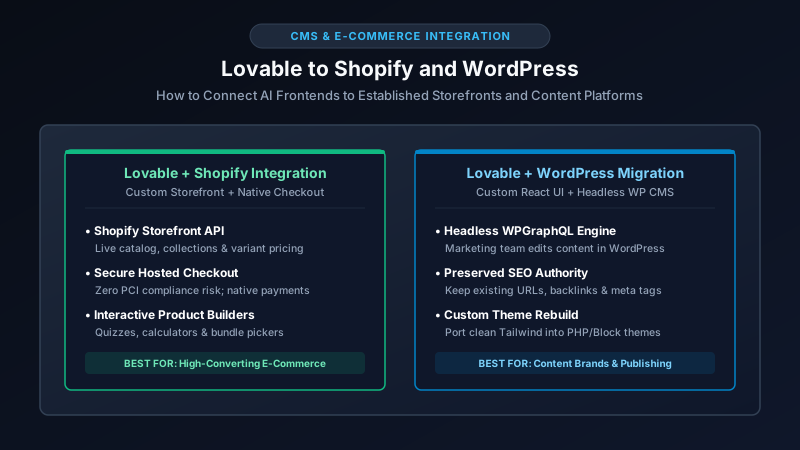
- Data Fetching via Storefront API: Your exported Lovable React frontend communicates with Shopify via the Storefront GraphQL API. Products, images, variants, live stock levels, and currency conversions are pulled dynamically from your existing Shopify admin.
- Custom Interactive UI: The customer interacts with your beautiful, high-speed Lovable interface (built in Tailwind and React).
- Secure Native Checkout Handoff: When the customer clicks “Checkout,” the Lovable application passes the cart line items to Shopify’s native
checkoutCreatemutation, redirecting the user seamlessly to Shopify’s PCI-compliant, fraud-protected checkout domain.
This provides the best of both worlds: complete visual freedom on your storefront with the bulletproof order processing, shipping integrations, and payment security of Shopify. For a broader comparison of hosted e-commerce platforms, read our analysis on the best website builder for small business.
Path 2: Migrating or Connecting Lovable to WordPress
If your business relies on content marketing, SEO articles, and an editorial staff, asking marketers to edit text by modifying React code or submitting AI prompts is an operational bottleneck. There are two primary ways to bring Lovable designs into the WordPress ecosystem:
| Integration Approach | How It Works | Best Use Case |
|---|---|---|
| Headless WordPress (API-Driven) | Lovable frontend queries WordPress via WPGraphQL or REST API to render blog posts dynamically. |
High-traffic media companies wanting modern React speed with familiar WP editorial workflows. |
| Custom Theme Rebuild | A WordPress developer translates clean Lovable HTML/Tailwind components into custom PHP page templates or Gutenberg block patterns. | Businesses that already have established search rankings and plugins and want full native WordPress admin control. |
Protecting Your Existing SEO and Rankings
When migrating an existing WordPress website to a modern Lovable frontend, founders often forget that URL structures and canonical tags matter. A careless migration can destroy years of organic Google rankings in days. Ensure your transition checklist includes:
- Strict 1:1 URL Slugs: Verify that category, tag, and article paths match your legacy permalink settings exactly.
- 301 Permanent Redirects: Map any altered paths using server-level redirects before cutting over your DNS.
- Schema & OpenGraph Metadata: Ensure dynamic meta descriptions, titles, and JSON-LD structured data are generated on every page.
When to Hire a Specialist for CMS Integration
Bridging an AI-generated interface to Shopify or WordPress requires navigating API authentication tokens, webhook synchronization, and CORS permissions. If an API payload fails, your cart may stop updating or your blog images may break.
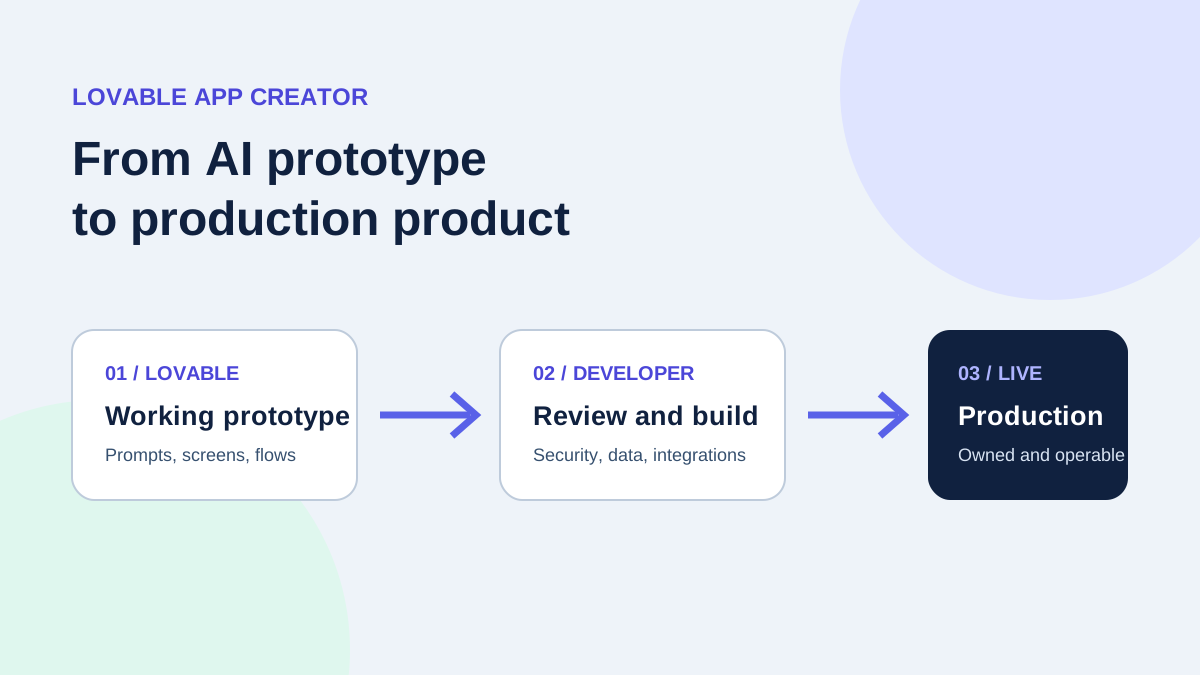
Hiring a specialist who understands both modern React code and legacy CMS architectures ensures that your product launches without customer-facing glitches. Learn how independent developers handle this bridging work in our guide on the Lovable app creator, or check our dedicated WordPress developers and vetted independent software engineers to connect your stack securely.
Written by Michael Melnyk
Senior IT Technical Writer & Technology Analyst
Senior Technical Writer and IT Industry Analyst with over 7 years of experience analyzing software engineering ecosystems, tech leadership models, and developer procurement frameworks.