Free and AI Website Builders: What They Cost and When to Outgrow Them
Free and AI builders are the cheapest way to start — and the most expensive way to stay too long. This guide covers what free really includes, where AI output breaks, the upgrade math, and when to move on.

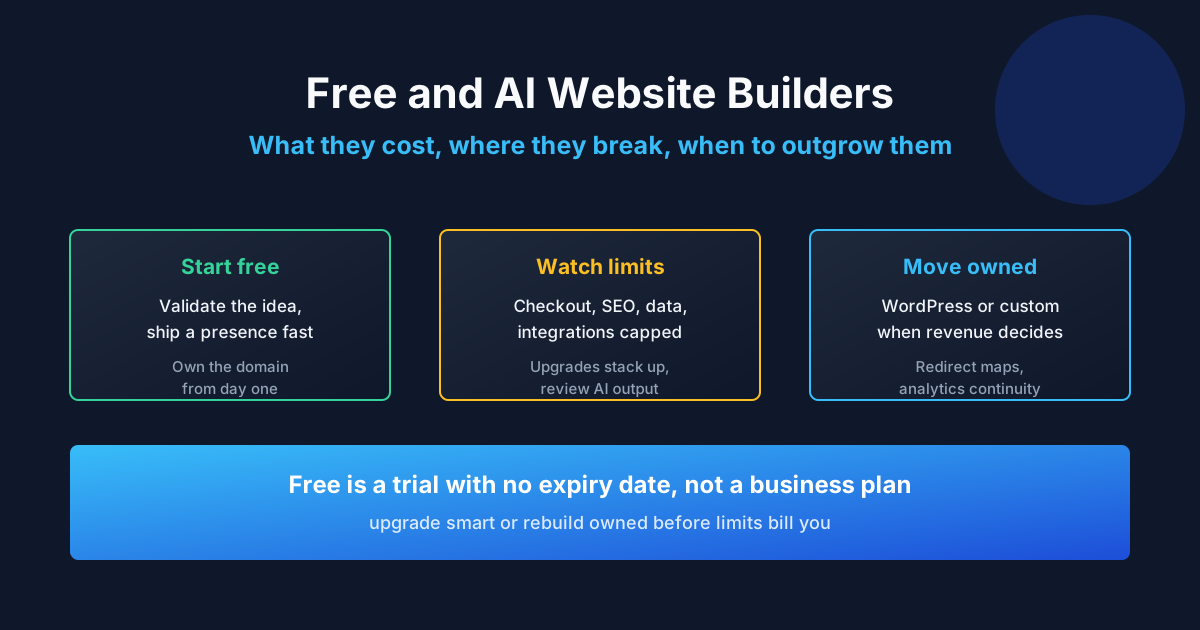
Free website builders are free until your site matters: the domain, the branding removal, the store limits, and the features that earn money all sit behind paid tiers — and AI builders draft a convincing starting point but cannot own strategy, content, integrations, or launch quality. Both are excellent ways to begin and expensive ways to stay past their limits. This guide maps what “free” really includes, where AI output breaks, the upgrade math, and the signals to move on. Reviewed September 2026. Figures below are illustrative planning examples, not market averages or ProofDevs quotes.
Searches like “best free website builder for small business,” “free website builder with custom domain,” and “ai website builder free” come from owners minimizing upfront cost — a rational instinct that needs honest numbers behind it. For paid-builder comparisons, see our website builder guide; for what happens after an AI prototype, see our Lovable production guide.
Are free website builders really free?
Free tiers are real and useful — for experiments, portfolios, and validating an idea before spending. The catch is structural, not hidden: free means a builder subdomain, builder branding, tight storage and page limits, no custom checkout, and analytics you cannot fully own. Every one of those limits converts to a paid tier the moment the site starts working as a business asset. “Free” is a trial with no expiry date, not a business plan.
What “free” usually includes — and excludes
| Feature | Typically free | Typically paid |
|---|---|---|
| Address | Builder subdomain | Custom domain connection |
| Branding | Builder badge and ads | White-label removal |
| Pages and storage | Capped, enough for a starter | Raised limits, video, large catalogs |
| Selling | Buttons or tiny catalogs | Real checkout, payments, shipping rules |
| Never included | Mailbox or suite, per user | |
| Support and backups | Community and docs | Priority support, real backup control |
Best free options by use case
Match the free tier to the job, not to the brand ranking. Photography and design portfolios thrive on free visual builders where the work sells itself — image quality and layout matter more than features. Blogs and text projects do well on free publishing platforms with custom-domain mapping, since words carry the value and the platform handles distribution. Small test stores can validate demand with free checkout limits, but migrate before real volume exposes fee structures and missing shipping logic. Service businesses testing positioning can run a one-page free site with a contact form while the offer sharpens.
Whatever the use case, score every candidate on the same four exit criteria before publishing a single page, and revisit the scorecard quarterly as traffic and revenue grow: can content export in an open format, can the custom domain leave without penalty, is upgrade pricing published (not “contact sales”), and who answers support when checkout breaks on a Friday evening. A free tier that fails two of these is a future migration project wearing a zero price tag. Our paid builder comparison picks up where free tiers end.
Free custom domain: the fine print
“Free website builder with custom domain” usually means one of three things: a free domain for the first year (renewal at full price), a free domain locked to paid hosting you cannot leave, or a free subdomain mislabeled as custom. Genuinely free custom domains barely exist outside promotions. The safe pattern from our domain and hosting guide: register the domain yourself, paid, at an independent registrar — even if everything else starts free.
AI website builders: what they actually do
AI builders turn a text prompt into a designed draft: layout, stock imagery, placeholder copy, and sometimes a connected domain — in minutes. “Best ai custom website builder” searches reflect real amazement at the starting point. Treat the output as a mockup with delusions of grandeur: structure and styling are generated, while strategy, real content, integrations, performance, SEO, and legal basics are not. The draft answers “what could this look like,” never “will this work as a business.”
Where AI output breaks
Every AI builder demo shows the same five minutes: prompt in, polished site out. The next five months look different. Generated code has no author who remembers why decisions were made, no tests guarding behavior, and no documentation explaining structure — so each change costs discovery work that a human-built codebase would not need. This does not make AI output worthless; it makes unreviewed AI output a liability that compounds with site importance. Budget a professional review pass proportional to revenue at stake: a brochure site needs hours, a store needs days.
- Sameness: generated sites converge on the same layouts and stock aesthetics — differentiation needs human design.
- Content vacuum: placeholder copy ships to production more often than anyone admits; real copy still costs real effort.
- SEO surface: metadata, structured data, sitemaps, and performance budgets need deliberate setup — verify with PageSpeed, not with the preview.
- Commerce reality: payments, taxes, shipping, and refunds follow business rules no model knows.
- Ownership fog: who owns the generated code, where it lives, and how it leaves the platform must be answered before launch.
- Maintenance drift: AI-generated codebases without tests or documentation age badly; budget review.
The upgrade math: cost of “free” over two years
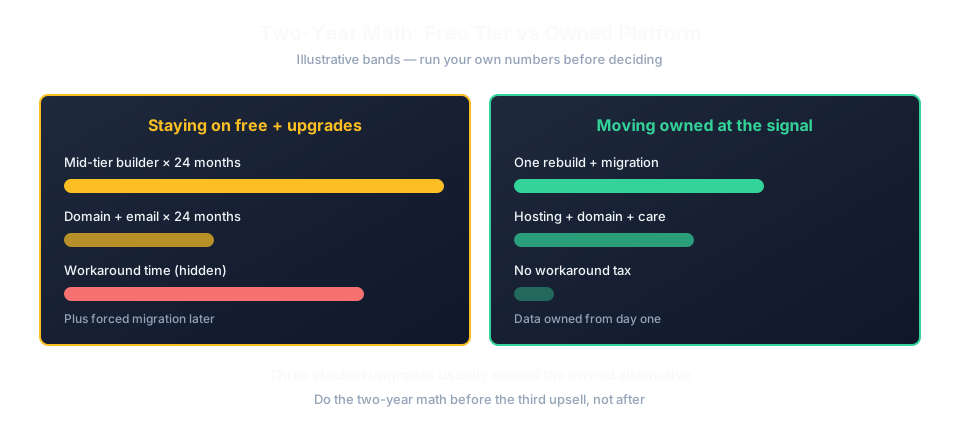
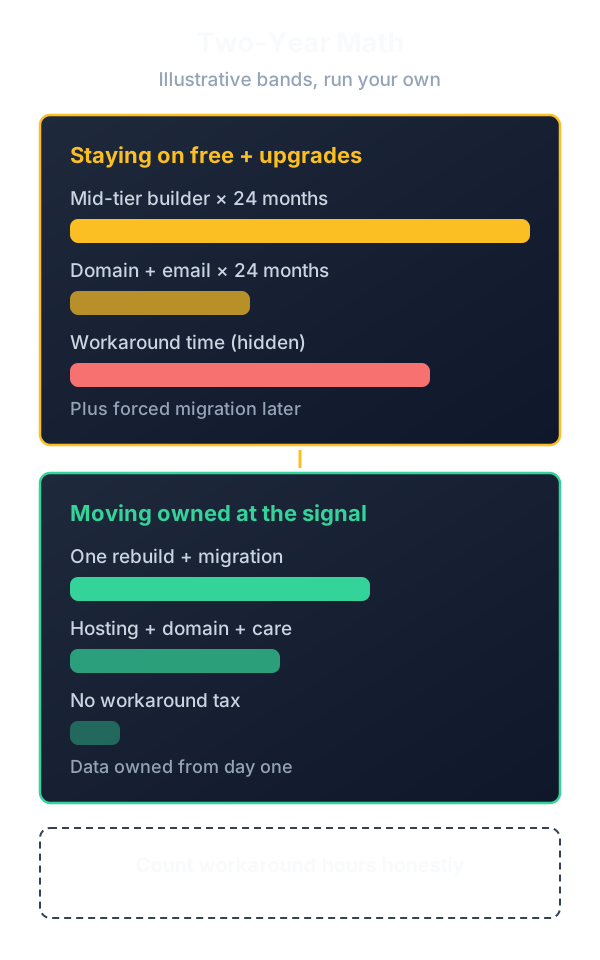
Add it up before dismissing paid options: domain renewal, the tier that removes branding, the tier that unlocks checkout or forms, email per user, premium templates or AI credits, and the eventual migration when limits hit. Illustrative planning example: two years of a mid-tier builder at $20 per month ($480), domain at $13 per year ($26), and two mailboxes at $6 each monthly ($288) totals under $800 — against which a simple WordPress setup or a paid pilot must compete honestly. “Cost of ai builder” follows the same curve: generation cheap, production extras metered.
Five signals free or AI no longer fits
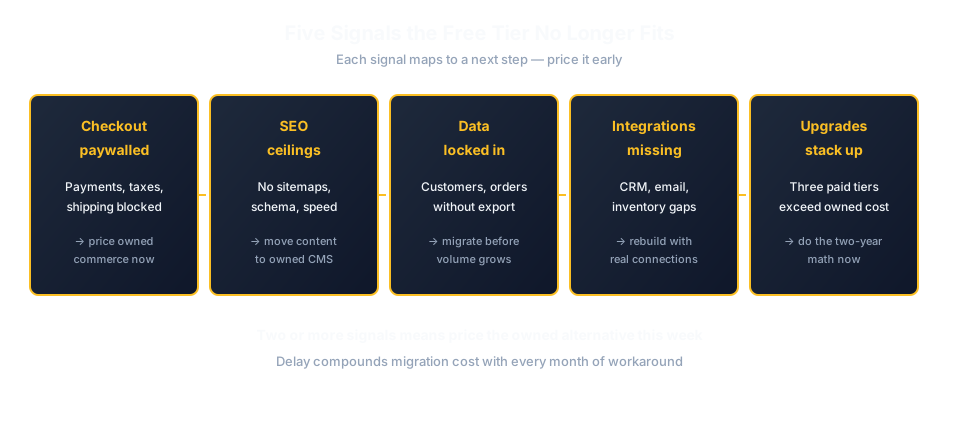
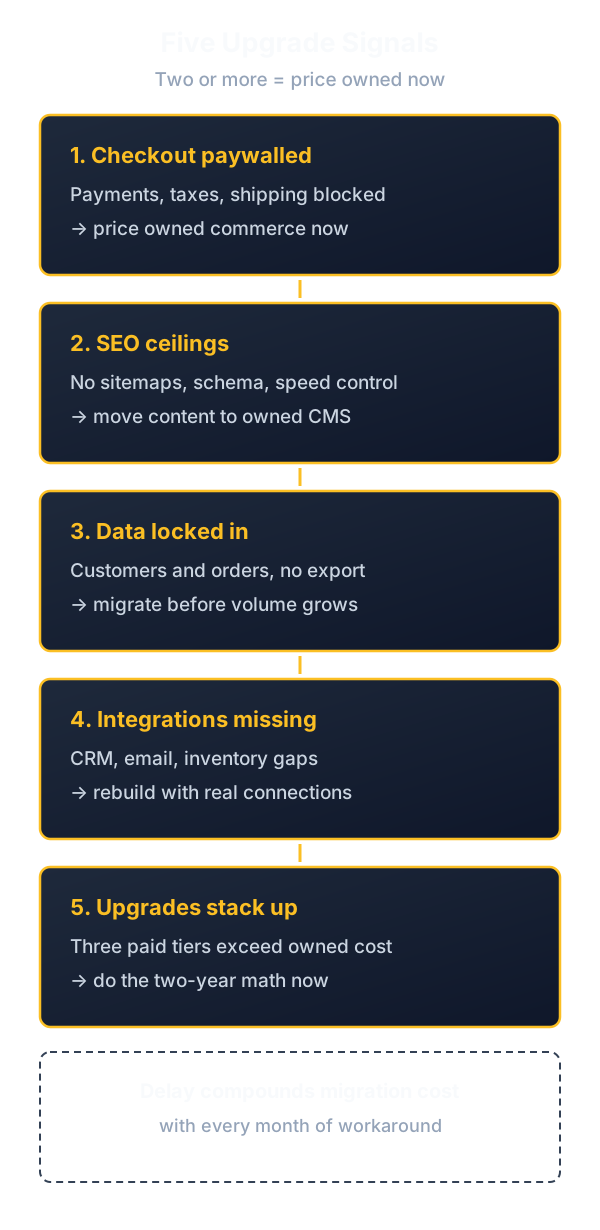
Upgrade when checkout customization decides revenue, when SEO control and structured content drive discovery, when customer data must live in systems you own, when the site needs integrations no plugin or extension covers, or when every change waits on platform limits instead of business priorities. Each signal maps to a next step: our custom website price breakdown for budgets, the WordPress hiring guide for the middle path, and the WordPress-versus-custom decision for the fork itself.
Migrating from free to owned without losing traffic
Move in order: register or reclaim the domain independently, rebuild on the new platform with content migrated and improved, map every old URL to a redirect, verify analytics continuity, then switch DNS and keep the old site readable until search consoles confirm indexing. Never rebuild and migrate the address in the same weekend — sequence the risks.
Use the migration as an upgrade, not a copy: prune dead pages, rewrite thin content with real offers, compress and modernize images, and set up proper analytics events from day one. A migration that merely clones the free site onto paid hosting wastes the one moment when a full content audit is unavoidable. Measure the before state — indexed pages, top queries, conversion events — so the after state can prove the move paid off instead of merely feeling newer.
Realistic free-to-paid scenarios
Photographer portfolio stays free for a year
Situation: a photographer needs a portfolio with contact form and zero budget. Blocker: paid plans unjustified before first clients. Fix: free visual builder plus self-registered domain mapped from day one. Result: first bookings arrive; upgrade to remove branding only when inquiry volume justifies it.
Bakery AI draft becomes a real site
Situation: a bakery generates an AI site draft in an evening. Blocker: placeholder menu, no ordering, stock photos of other bakeries. Fix: developer rebuilds on WordPress reusing the approved structure, real photography, and online ordering. Result: the AI draft saved one design round; everything customer-facing is real.
Nonprofit outgrows free limits
Situation: a nonprofit runs events on a free tier with donation buttons. Blocker: attendee data locked in the platform, custom forms paywalled. Fix: migrate to owned WordPress with donor CRM integration before the annual campaign. Result: data owned, donation flow customized, yearly cost predictable.
Typical mistakes
- Printing a subdomain on packaging. Unportable addresses become expensive reprints later.
- Shipping AI placeholder copy. Lorem ipsum with your phone number still loses customers.
- Ignoring export before building. Check content portability on day one, not at exit.
- Free email for customer contact. Deliverability and trust cost less than one lost order.
- Upgrading tier by tier forever. Three stacked upgrades often exceed the owned alternative.
- Assuming AI output is reviewed. Nobody reviewed it — schedule the review explicitly.
- Checkout on a free plan. Payment limits and fees scale against you with volume.
- No analytics ownership. Platform dashboards are not a substitute for your own measurement.
- Migrating address and platform together. Sequence: domain first, rebuild second, DNS last.
- Staying past the signals. Every month on the wrong tier bills workaround time.
Expert advice
Set a calendar reminder for ninety days after any free or AI launch asking one question: which platform limit did we hit this month? Zero hits means the tier still fits; two or more means price the owned alternative now, while migration is still cheap. Free tiers fail gradually, then suddenly — the reminder catches the gradual part.
FAQ: free and AI website builders
Are free website builders really free?
The tier is real; the business use is metered. Subdomain, branding, page and storage caps, and paywalled checkout convert to paid tiers the moment the site earns. Budget the upgrade path before committing content.
What is the best free website builder for small business?
The one whose free tier covers your current job with a clean exit: content export, domain portability, and published upgrade pricing. Match to use case — portfolio, blog, or store test — not to generic rankings.
Can I connect a custom domain for free?
Rarely in any durable sense: usually a first-year promo, a lock-in bundle, or a mislabeled subdomain. Register the domain yourself, paid and independent, even when hosting starts free.
What can AI website builders actually build?
Designed drafts from prompts: layout, imagery, placeholder copy, sometimes a live domain. Strategy, real content, integrations, performance, SEO, and launch responsibility remain human work.
Is an AI-built site good enough for my business?
Good enough to validate an idea or ship a simple presence fast. Not enough where checkout, SEO, data ownership, or differentiation decide revenue — those need deliberate builds.
How much does it cost to move off a free builder?
A rebuild plus migration: content transfer, redirect maps, and analytics continuity, on top of the new platform's build and first-year costs. Cheaper planned early than forced later under traffic.
Will I lose Google rankings migrating from free?
Not with sequencing: independent domain first, rebuild with redirect maps, DNS switch last, old site readable until indexing confirms. Rankings dip briefly, then recover on owned ground.
Free builder or WordPress for a blog?
Free platforms for casual writing; WordPress when search traffic, newsletters, memberships, or monetization matter. Migration cost grows with archive size — decide against a two-year horizon.
Can AI builders handle online stores?
Demo checkouts, yes; real commerce with taxes, shipping rules, and refunds, only with human configuration and review. Volume magnifies every gap the demo hid.
Who owns AI-generated website code?
It depends on the platform terms — read them before launch, not after. Confirm where code lives, how it exports, and what happens to your site if you stop paying.
When should a startup stop using free tiers?
At the first revenue-relevant limit: paywalled checkout, blocked integrations, or SEO ceilings. Price the owned alternative at that point; delay compounds migration cost.
What is the cheapest credible web presence?
A self-registered domain, free static hosting or a free tier, and a business email suite — annual cost in the tens of dollars. Credibility comes from the domain and real content, not from the price tier.
Outgrown free or staring at an AI draft that needs to become real? Send the brief to ProofDevs for an honest verdict: keep the tier, upgrade smart, or rebuild owned.
Written by Michael Melnyk
Senior IT Technical Writer & Technology Analyst
Senior Technical Writer and IT Industry Analyst with over 7 years of experience analyzing software engineering ecosystems, tech leadership models, and developer procurement frameworks.