Hire an E-commerce Web Developer: What to Ask, What It Costs, and How to Vet
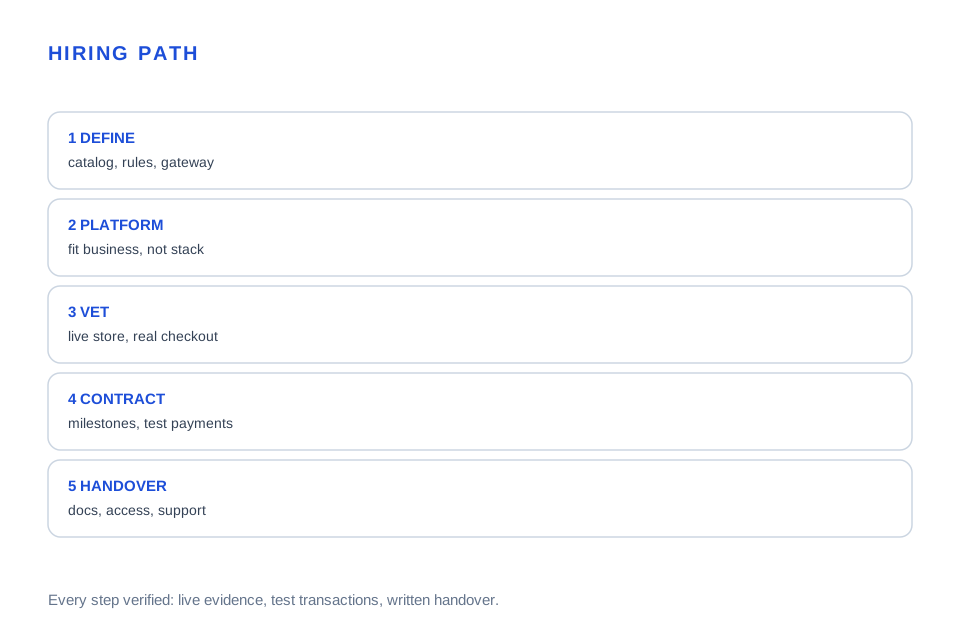
A store that looked perfect in the demo charged real cards into a test gateway nobody checked. This guide maps e-commerce developer hiring end to end: platform, scope, cost, vetting, and handover.

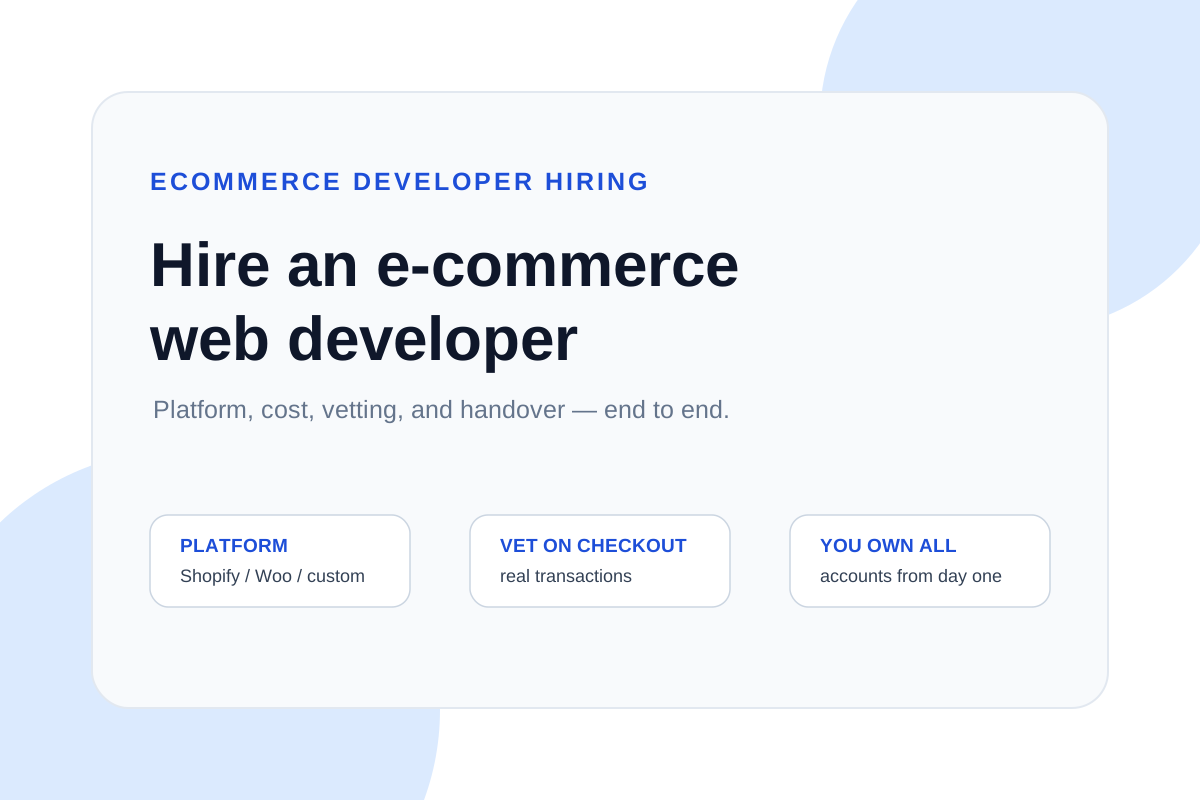
Hiring an e-commerce web developer means buying a working revenue system, not a design: the developer must own checkout correctness, payment security, inventory logic, and post-launch support — not just make the catalog look good. Most e-commerce hiring failures are scope failures: a beautiful demo with a test gateway, no shipping rules, and no handover. Reviewed September 2026. Figures below are illustrative planning examples, not market averages or ProofDevs quotes.
Store owners searching for an e-commerce developer usually need one of three things: a first store that actually takes money, a migration off a platform that no longer fits, or custom behavior — subscriptions, B2B pricing, configurators — that off-the-shelf tools cannot express. This guide covers all three: platform choice, realistic cost bands, vetting that exposes pretenders, contract terms that protect you, and handover that leaves you in control. For the cost side in depth, see our custom website cost breakdown; for judging any concrete proposal, use our quote checklist.
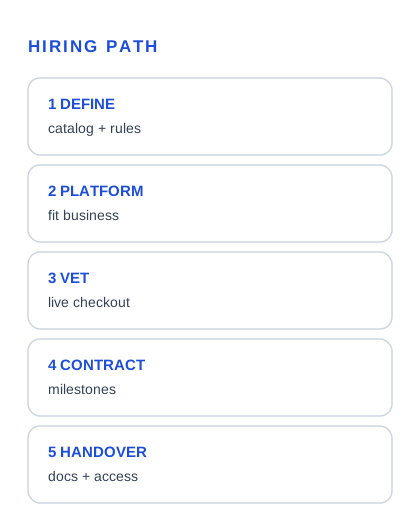
What does an e-commerce web developer actually do?
An e-commerce web developer builds and maintains the systems that move a visitor from product page to delivered order: catalog and product data, cart and checkout, payment gateway integration, shipping and tax rules, order management, customer accounts, and the integrations around them — inventory, ERP, CRM, email, analytics.
The job splits into three layers that hiring conversations often blur. Storefront work covers the shopping experience: product pages, filters, cart, checkout flow, mobile behavior. Transactional work covers the money path: gateway configuration, webhook handling, refunds, fraud signals, PCI-conscious data handling. Operational work covers everything after the order: fulfillment rules, inventory sync, order emails, admin tooling, and reporting. A developer strong in one layer is not automatically strong in all three — ask which layer their evidence covers.
Shopify, WooCommerce, or custom: which platform fits
Platform choice is the first hiring decision because it determines what the developer must know and what you will own. Shopify suits standard stores that want to sell fast with minimal technical overhead: themes, apps, and checkout extensions inside a managed platform. WooCommerce suits businesses already on WordPress or needing deep content-commerce blending: more control, more maintenance responsibility. Custom builds suit distinctive commerce — complex pricing, subscriptions, configurators, marketplaces — where platform constraints cost more than engineering.
| Platform | Best when | What you own | Watch for |
|---|---|---|---|
| Shopify | Standard catalog, fast launch, in-house marketing team | Store data, theme, apps; platform owns checkout core | App sprawl, checkout customization limits, monthly stack |
| WooCommerce | WordPress already central, content-driven commerce | Everything: hosting, updates, security, performance | Update conflicts, plugin debt, performance tuning |
| Custom (Next.js, etc.) | Distinctive commerce logic, integrations, scale | Full stack: code, hosting, security, maintenance | Longer build, higher cost, total dependency on the team |
Rule of thumb: start on the platform that fits the business, not the developer's favorite stack. A Shopify expert building you a custom store is a mismatch; a custom developer proposing Shopify apps is a scope error. Our WordPress hiring guide covers the WooCommerce path in depth.
What does an e-commerce developer cost?
Publicly reported 2026 ranges cluster by scope. Simple theme-based stores on Shopify or WooCommerce with standard checkout run from a few thousand dollars. Custom storefronts with integrations, custom product logic, and migrated catalogs run five figures. Distinctive commerce — subscriptions, B2B pricing, configurators, marketplace features — reaches into the $20,000–$80,000+ band. Hourly, expect roughly $70–$100 mid-level and $100–$160 senior in North America, lower in other regions.
Illustrative planning example: 60 hours of build at $80 per hour is $4,800. Add 15 hours of payment and shipping configuration at the same rate ($1,200), $600 in platform fees and premium apps for year one, and $800 for launch support including redirects and analytics verification. The planning envelope is about $7,400 before tax. Change the scope to custom checkout logic or a 5,000-product migration and the number moves by multiples — the arithmetic shows how scope, not rate, drives e-commerce cost.
How to vet an e-commerce developer
Vetting tests the money path, not the portfolio's beauty. Ask for two live stores where the developer personally built or repaired checkout, then ask them to walk through one: how the gateway is configured, how webhooks are handled, what happens when a payment fails, how refunds and partial refunds work.
- Checkout evidence: a live store with real transactions — not a demo with sample products and a test gateway.
- Payment reasoning: how are webhooks secured, how are failed payments retried, what is the refund flow? Vague answers here are disqualifying.
- Platform depth: why this platform for your catalog size, product types, and business rules — a one-platform candidate fits one store shape.
- Operations awareness: shipping rules, tax setup, inventory sync, order emails — the unglamorous layer that decides whether the store runs without you.
- Handover: documentation, admin access, and a support window. A developer who disappears after launch is a liability, not a hire.
Red flags in e-commerce hiring
The most expensive red flag is the demo store: sample products, test gateway, no real transaction history. Next is the platform mismatch — a developer whose entire portfolio is one platform proposing to build yours on another. Then the scope dodge: a fixed price for "a full e-commerce site" with no product count, no integration list, no payment gateway named. And the access trap: stores built in the developer's accounts, where every future change requires them.
Each has a one-line defense. Demo store: require a live reference with real sales. Platform mismatch: ask for two stores on your platform. Scope dodge: milestone list with acceptance criteria before any price. Access trap: business-owned Shopify, hosting, domain, and gateway accounts from day one. If a candidate resists all four, keep looking.
Contract and payment structure
E-commerce work prices best in milestones tied to verifiable states: design approval, catalog loaded, checkout configured on staging, payment verified with real test transactions, launch, and post-launch support. Fixed prices work when the scope is written down; hourly with a cap works when discovery is needed first. What never works is a large upfront payment for an undefined store.
Payment terms should mirror the risk: a deposit to start, payments at accepted milestones, and a final portion held through the first real sales week. The support window — typically 30 to 60 days of bug fixes — belongs in the contract, not in a verbal promise. For comparing any two proposals, our outsource-versus-hire guide provides the normalization framework.
Case: first store that took real money on day one
Starting point
A product brand with 40 SKUs needed a first store before a trade show: standard catalog, one payment gateway, shipping by weight, email capture. Budget was tight and the timeline was six weeks.
What blocked progress
The first quote came from a generalist proposing a custom build at five figures with a three-month timeline — solving a simple problem with an expensive instrument.
Fix approach
A Shopify specialist was hired on a milestone contract: theme configuration, product import, gateway setup with real test transactions, shipping rules, and analytics. The brand owned every account from day one.
Outcome
Store live in four weeks, first real sale in the opening hour of the trade show, and a support window that caught two shipping-rule edge cases before they cost money. Total cost under a third of the custom quote — the planning example: platform fit beat technical ambition.
Case: migration that kept every ranking
Starting point
An established store on an aging WooCommerce install needed replatforming: 2,000 products, years of content, and rankings the owner refused to risk.
What blocked progress
A previous migration attempt by another vendor had already cost them a visible keyword cluster through dropped redirects and lost structured data.
Fix approach
Audit-first migration: full URL inventory with rankings attached, redirect map reviewed page by page, product and content migration on staging, launch with day-one verification and 90-day rank monitoring.
Outcome
Rankings held through launch, checkout conversion improved on the faster stack, and the redirect map — a spreadsheet, not software — was the highest-value deliverable of the project.
Case: subscriptions that needed custom logic
Starting point
A supplement brand wanted subscription bundles with build-a-box customization — combinations no standard subscription app expressed cleanly.
What blocked progress
Two developers proposed bolting on apps until the store ran six overlapping subscriptions tools, each fighting the others at checkout.
Fix approach
A custom build scoped around the subscription logic: one checkout flow, one pricing engine, one integration surface. The brief named the business rules first and the technology second.
Outcome
Subscriptions launched as one coherent system, support tickets dropped, and the store finally had one source of truth for what a customer pays. Lesson priced in: when business logic is the product, the build must be scoped around it.
What to prepare before asking for a quote
Five things turn "build me a store" into a quotable job: the product catalog in a real format (CSV with variants), the business rules in one page (shipping, tax, subscriptions, B2B pricing), the payment gateway decision or constraints, the integrations that must connect (ERP, CRM, email, analytics), and the launch date with its reason. Developers quote tighter against evidence — and the ones who still quote blind reveal themselves early.
Bring the package to our Shopify developer listing or WordPress developer listing to compare vetted specialists, or start with the website cost estimator to anchor your budget before conversations begin.
FAQ: hiring an e-commerce web developer
How much does an e-commerce web developer cost?
Theme-based stores run from a few thousand dollars; custom storefronts with integrations run five figures; distinctive commerce reaches $20,000–$80,000+. Hourly, roughly $70–$100 mid-level and $100–$160 senior in North America, lower elsewhere. Price against scope, not rate.
Should I hire a Shopify or WooCommerce developer?
Shopify for standard stores that should sell fast with minimal overhead; WooCommerce for WordPress-centric businesses needing control; custom for distinctive commerce logic. Match the platform to the business, not to the developer's favorite stack.
What should I ask in the first interview?
Walk me through a live store you built: how is the gateway configured, how are webhooks secured, what happens when a payment fails, how do refunds work? Vague answers on the money path are disqualifying.
How do I know the developer can handle checkout?
Require a live reference store with real transactions, not a demo. Ask for the payment and shipping configuration specifically, and verify with real test transactions on staging before launch.
Who owns the store and the accounts?
You should. Shopify store, hosting, domain, payment gateway, and analytics accounts are business-owned from day one under standard B2B work-for-hire terms. Developers insisting on their own accounts are selling dependence.
How long does an e-commerce build take?
Theme-based stores take 3–6 weeks; custom storefronts with integrations 6–12 weeks; distinctive commerce 3–6 months. The bottleneck is usually catalog readiness, content, and decision speed — not coding.
What is the biggest red flag?
The demo store: sample products, test gateway, no real transaction history. Second is the fixed price for "a full e-commerce site" with no product count, integration list, or gateway named.
Do I need a developer after launch?
Yes, in some form. Stores need updates, security patches, app maintenance, and occasional fixes. A 30–60 day support window belongs in the contract; ongoing care can be a retainer or a maintenance plan.
Can a developer migrate my store without losing rankings?
Yes, with a URL inventory, page-by-page redirect map, metadata carryover, staging verification, and post-launch monitoring. Migrations lose rankings when redirects are skipped — the map is the deliverable that protects them.
What must I provide before kickoff?
The product catalog in real format, business rules in one page, payment gateway decision, required integrations, and the launch date with its reason. No technical spec required — scoping is the developer's job.
Written by Michael Melnyk
Senior IT Technical Writer & Technology Analyst
Senior Technical Writer and IT Industry Analyst with over 7 years of experience analyzing software engineering ecosystems, tech leadership models, and developer procurement frameworks.