How to Export Lovable Code to GitHub: Deploying, Hosting & Code Ownership
Don't remain trapped in a monthly AI subscription just to keep your prototype online. Here is how to export your Lovable code to GitHub, deploy to free hosting, and own your software completely.

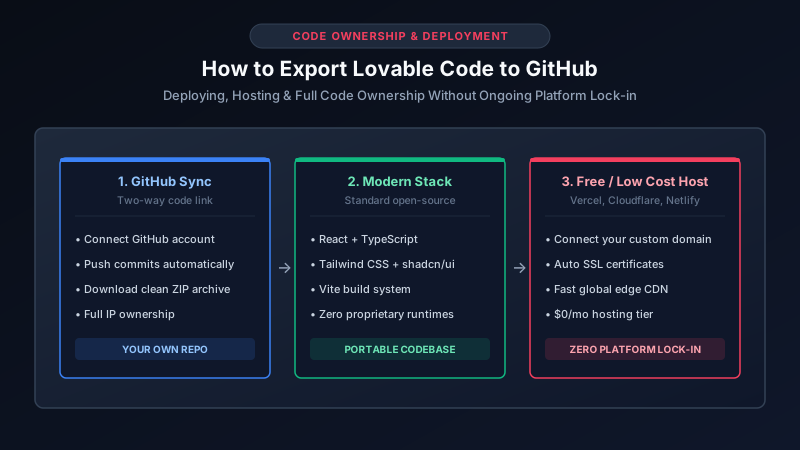
One of the greatest engineering advantages of Lovable over traditional no-code platforms like Bubble or Wix is that Lovable writes real, modern, open-source code. You are never locked into Lovable’s hosting environment. You can sync your project to your personal or company GitHub organization, download a clean ZIP archive, and deploy it anywhere on the internet.
For startup founders and businesses, exporting your codebase is the moment your project transitions from an ephemeral AI experiment into an owned business asset. Here is how to connect GitHub, understand what is inside the repository, and deploy independently to eliminate recurring platform fees. Reviewed September 2026. Deployment workflows reflect current React, Vite, and Vercel standards.
Who Owns the Code Generated by Lovable?
A common legal and operational question among business owners is: “Do I actually own the intellectual property generated inside Lovable?”
Under Lovable’s standard terms of service, you own the code and intellectual property produced for your project. Because Lovable compiles clean React components rather than compiled proprietary binary files, the resulting codebase is 100% portable. You can hand the Git repository to any freelance frontend engineer or internal developer, and they can run npm install and npm run dev on their local machine without needing an active Lovable subscription.
Step-by-Step: Connecting and Exporting to GitHub
Exporting your project to GitHub requires less than three minutes:
- Open Project Settings: Inside your Lovable project workspace, click the GitHub icon or open the Settings menu.
- Authorize GitHub: Connect your personal GitHub account or company organization. Lovable will request permission to create and push repositories.
- Select Repository Privacy: Choose between a Public or Private repository. For any commercial product, business MVP, or client application, always select Private to safeguard your UI and logic.
- Two-Way Synchronization: Once linked, Lovable commits every subsequent visual edit to a dedicated Git branch. When a developer pushes code changes from their local editor (such as VS Code or Cursor), Lovable automatically updates the preview canvas.
What Is Inside an Exported Lovable Repository?
Unlike old website exporters that dumped unreadable spaghetti HTML, an exported Lovable repository uses the exact same stack favored by Silicon Valley engineering teams:
| Technology | What It Does in Your Codebase | Why It Matters to Your Business |
|---|---|---|
| React 18+ & TypeScript | The core UI component framework with type safety | Standard industry tooling; easily maintained by millions of developers worldwide |
| Vite | Lightning-fast development build server & bundler | Near-instant page loads and highly optimized production asset compilation |
| Tailwind CSS & shadcn/ui | Utility-first responsive styling and accessible UI components | No bulky CSS files; easily customizable typography, dark mode, and themes |
| React Router | Client-side multi-page navigation and URL paths | Clean, SEO-friendly page routing without full page reloads |
| Supabase Client SDK | Direct connection to your PostgreSQL database | Enables live queries, user sessions, and real-time data synchronization |
To understand how this frontend connects with your database securely, see our companion guide on connecting Lovable to Supabase safely.
Deploying to Free or Low-Cost Hosting (Vercel & Cloudflare)
Once your repository is on GitHub, you do not need to keep paying a premium monthly Lovable plan just to keep your app live on the web. You can host the frontend for free or pennies per month:
- Log into Vercel or Cloudflare Pages: Sign in with your GitHub account.
- Import Repository: Select your private Lovable GitHub repository. Vercel automatically detects the Vite framework.
- Add Environment Variables: In the deployment settings, copy and paste your
VITE_SUPABASE_URLandVITE_SUPABASE_ANON_KEYfrom your Supabase dashboard. - Deploy: Click Deploy. In roughly 45 seconds, your application is live on a globally distributed edge network with free SSL encryption.
- Connect Custom Domain: Add your company’s custom domain (e.g.,
app.yourbrand.com) by pointing your DNS records (CNAME) to Vercel.
When Should You Involve a Developer in the Export?
While the export process is straightforward, moving from an exported prototype to a reliable commercial release often requires a brief engineering review. Common tasks where an independent developer provides immediate value include:
- Cleaning up unused packages: Removing demo mock data and unneeded icon libraries that slow down initial page loads.
- Setting up Continuous Integration (CI): Configuring automated GitHub Actions that run type-checks and tests on every commit before code hits production.
- Refactoring messy AI state management: Consolidating scattered React state into clean custom hooks so new features don’t break existing screens.
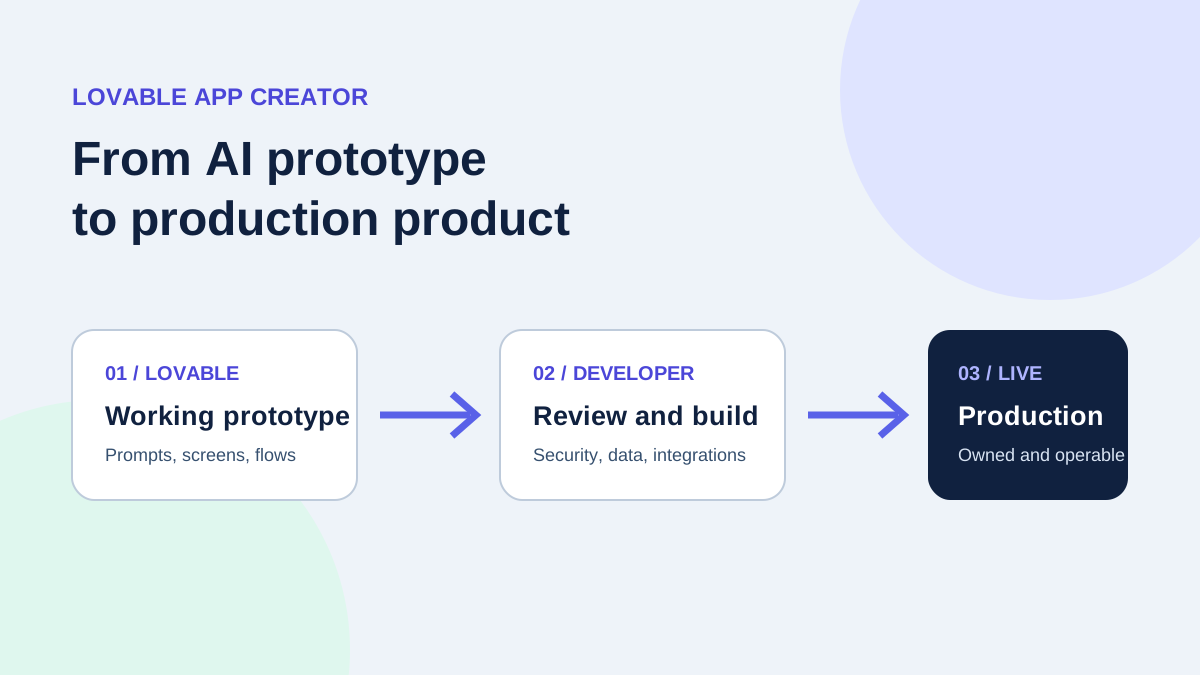
For details on hiring a specialist to handle this transition smoothly, read our guide on what a Lovable app creator delivers, or review rates in our Lovable developer hiring guide.
Summary: You Are in Control
Exporting to GitHub is the ultimate freedom feature. You gain the rapid velocity of AI generation during the early prototyping phase, combined with the full ownership and zero-lock-in benefits of modern open-source software. Build fast, export cleanly, and scale on your own terms.
If you need assistance exporting your Lovable project, setting up custom domain DNS, or deploying to production infrastructure, connect with ProofDevs verified developers for fast, milestone-based engineering support.
Written by Michael Melnyk
Senior IT Technical Writer & Technology Analyst
Senior Technical Writer and IT Industry Analyst with over 7 years of experience analyzing software engineering ecosystems, tech leadership models, and developer procurement frameworks.