How Much Does It Cost to Fix a Broken Website? Price Bands, Drivers, and Quote Traps
A checkout that silently drops orders cost one store more in a week than the repair quote it had postponed. This guide maps website repair prices by failure type, so you can tell a fair fix from an expensive guess.

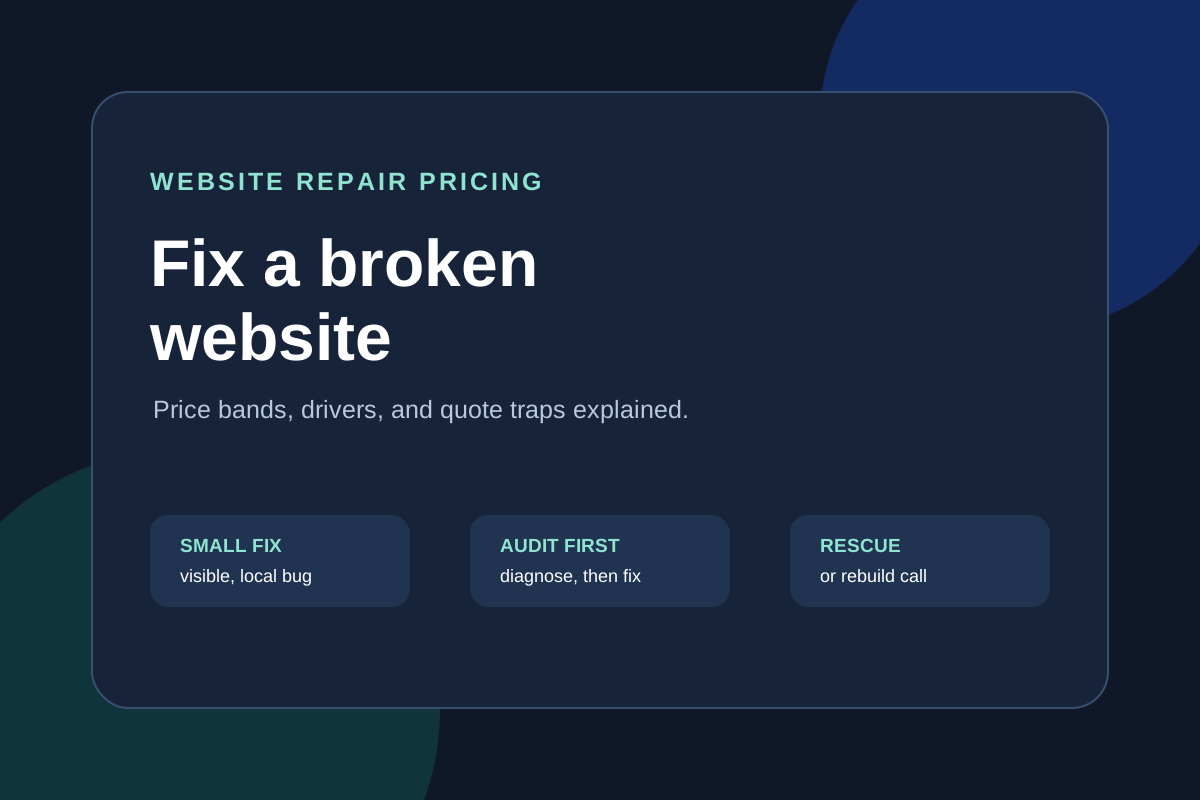
How much it costs to fix a broken website depends on the failure type, not the site size: a small visible bug is usually a contained fix, a checkout or data failure needs diagnosis before anyone can price the repair honestly, and a hacked or abandoned site may cost more to rescue than to rebuild. Anyone quoting a fixed price before looking at the code, the hosting, and the error logs is guessing. Reviewed September 2026. Figures below are illustrative planning examples, not market averages or ProofDevs quotes.
Site owners usually arrive with one urgent question — "how much does it cost to fix my website" — when the real question is whether a specific quote matches a specific failure. This guide gives you the price map: bands by failure type, the drivers that move every number, the emergency surcharge logic, and the quote patterns that separate a fair repair from a trap. If you need the action side rather than the price side, start with our website fix hub; for emergencies, see emergency repair.
How much does it cost to fix a broken website?
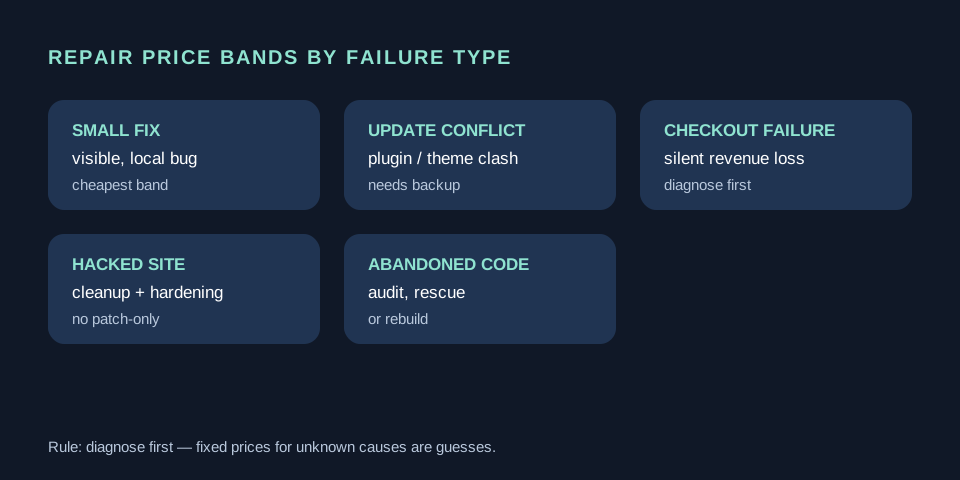
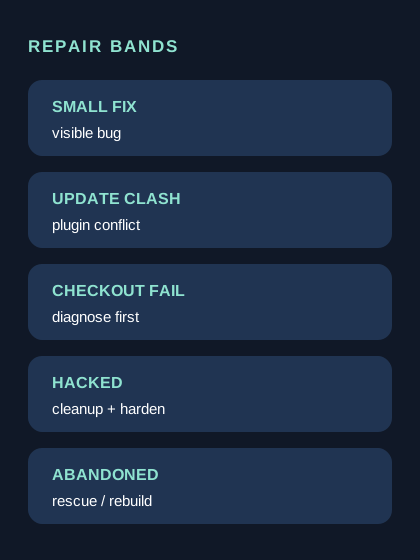
The cheapest repairs are visible and local — a broken form, a misaligned checkout step, a plugin conflict after an update. The expensive ones are invisible or systemic: silent order loss, intermittent 500 errors, a hacked site with reinfection loops, or a codebase nobody can build anymore. Diagnosis is what separates the two, which is why honest providers price an audit first and the repair second.
Illustrative planning example: 6 hours of diagnosis and repair at $70 per hour is $420. Add $150 for a staging environment and regression check, plus $100 for a backup and monitoring setup so the failure does not recur silently. The planning envelope is about $670 before tax. Change the rate to $30 or $150, or the scope from 6 hours to 40, and you get the full real-world spread. The arithmetic shows how scope moves price, not what any provider charges.
Website repair cost by failure type
Failure type is the fastest way to locate your budget. Each row below describes what the work actually contains and where the money goes.
| Failure type | What the repair includes | Typical cost drivers |
|---|---|---|
| Small visible bug | One broken element: form, layout, link flow, minor styling after update | Access readiness, single-browser vs cross-browser, content rewrite needs |
| Plugin or update conflict | Diagnose which update broke what, roll back or patch, test critical paths | Number of plugins, missing backups, custom code on top of plugins |
| Checkout or payment failure | Reproduce the failure, trace gateway logs, fix, test with sandbox transactions | Gateway type, webhook complexity, silent data loss window |
| Performance collapse | Audit queries, assets, caching; fix the bottleneck, measure Core Web Vitals | Hosting limits, image debt, unindexed queries, traffic pattern |
| Hacked or malware-infected site | Cleanup, reinfection source removal, passwords and keys rotation, hardening | Reinfection loops, nulled plugins, shared-hosting neighbors, SEO spam footprints |
| Abandoned or unbuildable project | Codebase audit, dependency resurrection, minimal safe rebuild path | Missing repository, dead dependencies, no documentation, scope of salvageable code |
The pattern: a "small fix" stays cheap only when the failure is reproducible and local. Anything intermittent, silent, or security-related needs paid diagnosis first — skipping it converts a bounded repair into open-ended hourly billing. Our abandoned project guide covers the salvage-versus-rebuild decision in depth.
What drives the repair price up or down
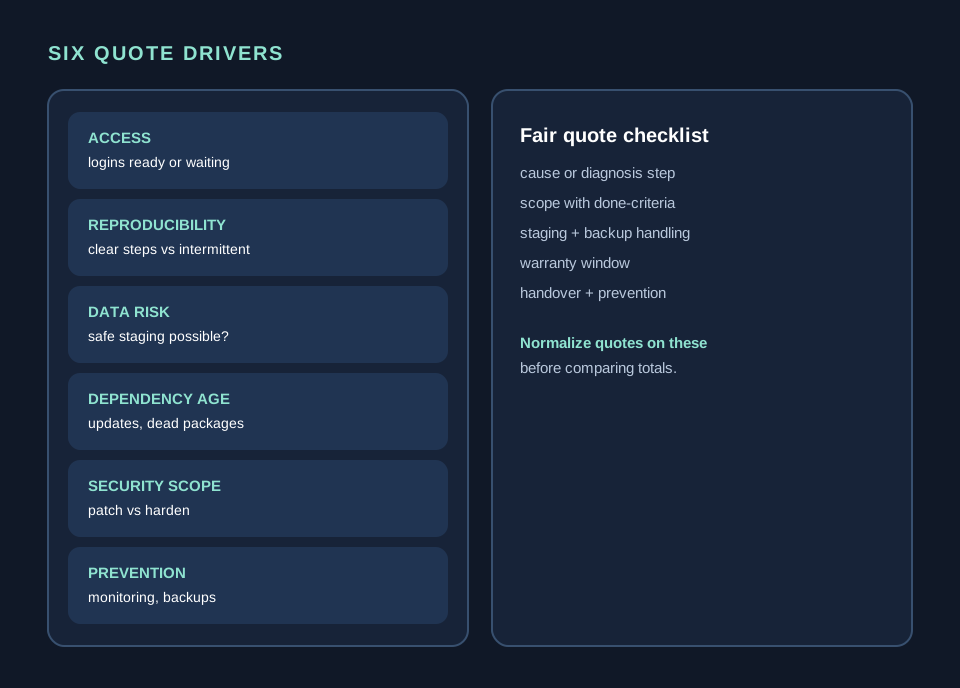
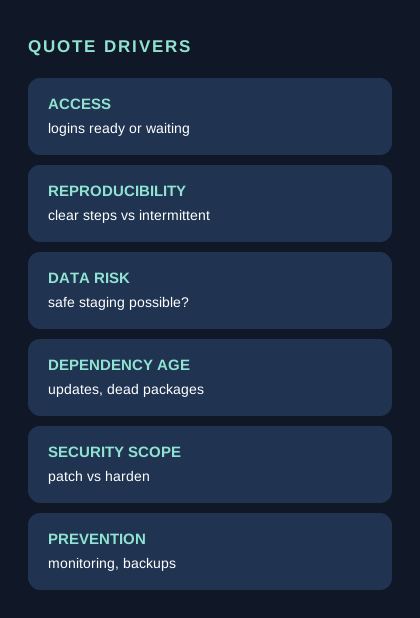
Six factors move almost every website repair quote. Access readiness comes first: a repair waits on hosting logins, domain control, and repository access far more often than on code. Reproducibility is second — an error with clear steps costs a fraction of an intermittent one. Then come data risk (can staging be built safely), dependency age, security scope, and whether the fix includes prevention or just the patch.
When comparing two quotes, normalize them against these six before comparing totals. A cheaper quote that excludes staging, testing, and backups is not cheaper; it is uninsured. Ask each provider to price the same milestone list: diagnosis finding, fix, verification, and handover.
How much does an emergency website fix cost?
An emergency website fix costs more than the same repair scheduled normally because the developer interrupts other commitments, works outside hours, and skips the queue. The surcharge buys response time and dedicated attention, not a different repair. Expect emergency pricing when the site is down, checkout is blocked, or a breach is active — and expect the provider to ask for full access immediately rather than negotiating scope first.
Rule of thumb: pay the emergency rate only for revenue-blocking or security-active failures. A broken blog layout or a stale plugin notice can wait for a scheduled slot at the normal rate. Before calling it an emergency, check our emergency page triage list — half of "urgent" tickets turn out to be scheduled-work candidates once the failure is classified.
Diagnosis first: why audits save money
A website audit is a paid investigation with a written finding: root cause, affected area, repair options with effort bands, and what happens if you do nothing. It typically costs a fraction of the repair and prevents the most expensive outcome — paying for a fix that addresses the symptom while the cause keeps running. For intermittent errors, hacks, and abandoned codebases, the audit is not overhead; it is the repair plan.
A good audit answers four questions: what exactly fails and how to reproduce it, what the minimal safe fix is, what the durable fix costs, and what evidence supports each claim (logs, queries, file diffs). If an "audit" returns only a plugin list and generic advice, it was a sales call, not diagnostics. Ask for the finding sample before paying.
Hourly versus fixed-price repair work
Use fixed-price work when the failure is diagnosed and the acceptance test is writable: "contact form delivers to inbox on staging and production, verified with three test submissions." Use hourly work with a spending cap when the cause is unknown: "up to N hours of diagnosis, then a written finding and a fixed repair quote." Mixing them up is how repair budgets explode — fixed prices for unknown causes produce padded quotes or abandoned jobs, and open hourly billing for known fixes invites drift.
| Model | Use when | Protect yourself with |
|---|---|---|
| Fixed price | Cause known, acceptance test writable | Written done-criteria, staging verification, warranty window |
| Hourly with cap | Cause unknown, discovery needed | Hour cap, written updates per block, stop-and-report trigger |
| Audit then fixed | Intermittent, security, or legacy failures | Audit deliverable defined upfront, repair quoted after finding |
Repair cost by platform: WordPress, Shopify, custom code
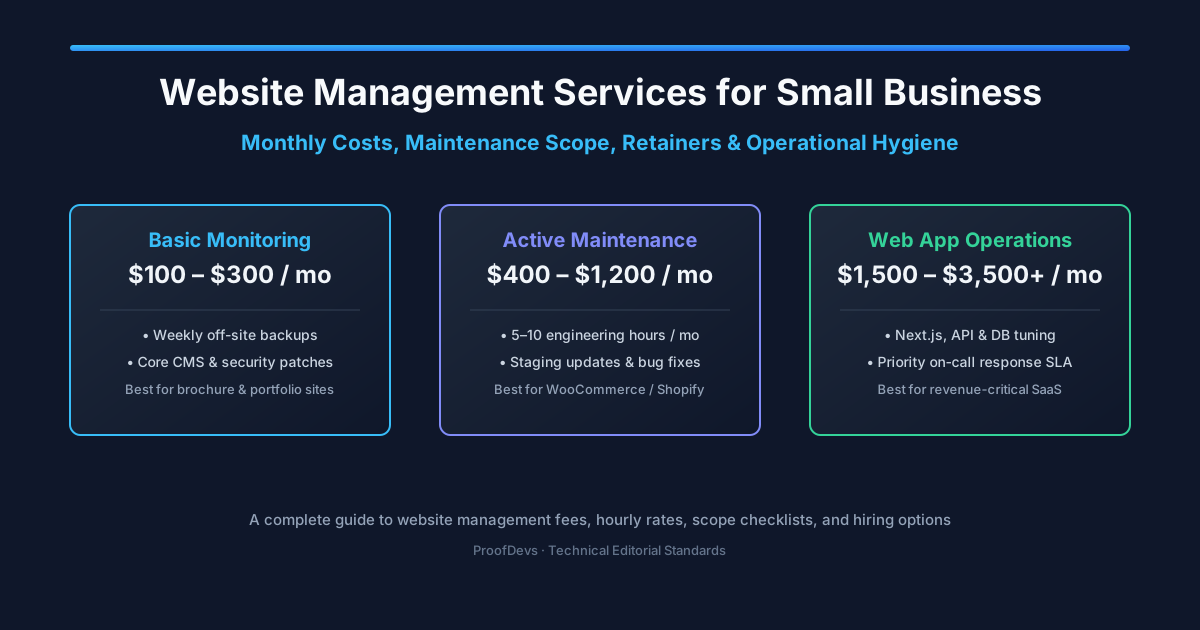
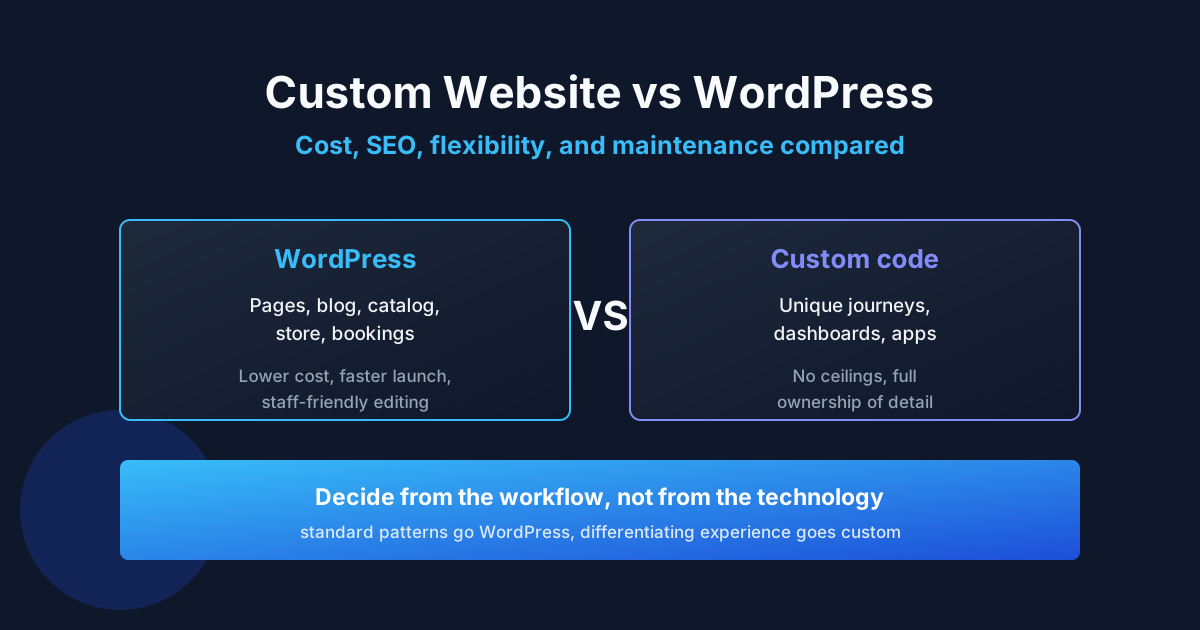
WordPress repairs center on plugin conflicts, theme updates, and hosting limits — cheap when backups exist, expensive when nulled plugins or years of deferred updates turned the install into archaeology. Shopify repairs are narrower (theme, apps, checkout extensions) but platform fees and app subscriptions constrain what a fix can change. Custom-coded sites have no plugin escape hatch: every repair is engineering time, but the diagnosis is usually cleaner because the stack is explicit.
Rule of thumb: on WordPress, budget for cleanup plus hardening, not just the patch — reinfection without hardening is a subscription to the same invoice. On custom stacks, budget for the staging environment and test coverage the project never had. Our WordPress hiring guide breaks down platform-specific rates and red flags.
What a fair repair quote contains
A fair website repair quote names the diagnosed cause (or the paid diagnosis step), lists the exact scope with acceptance tests, states staging and backup handling, gives a warranty window, and prices prevention separately from the patch. Vague line items like "fix website issues" or "general debugging" with a round number are not quotes; they are invitations to renegotiate mid-job.
- Cause or diagnosis step: what fails, or what paid investigation finds out first.
- Scope with done-criteria: observable behavior after the fix, not effort descriptions.
- Staging and safety: where the fix is tested before touching production.
- Warranty: how long the same failure is re-fixed free, and what voids it.
- Handover: what changed, credentials rotated, how to avoid recurrence.
For judging any concrete proposal, use our quote reasonableness checklist — it was built exactly for this moment.
Common quote traps
The most expensive trap is the fixed price for an undiagnosed problem: it is either padded 3x or it collapses mid-job into "unexpected extras." Next comes the patch without prevention — malware removed but the nulled plugin left in place, checkout fixed but no monitoring added. Then the access hostage: repair done in the provider's accounts, so every future fix requires them. And the classic: hourly billing with no cap and no written updates, where week three costs more than the rebuild would have.
Each trap has a one-line defense. Undiagnosed fixed price: demand audit-then-fixed. Patch without prevention: price hardening as a separate line. Access hostage: require business-owned repository, hosting, and domain before work starts. Open hourly: cap plus stop-and-report. If a provider resists all four, keep looking.
Repair, rescue, or rebuild: how to choose
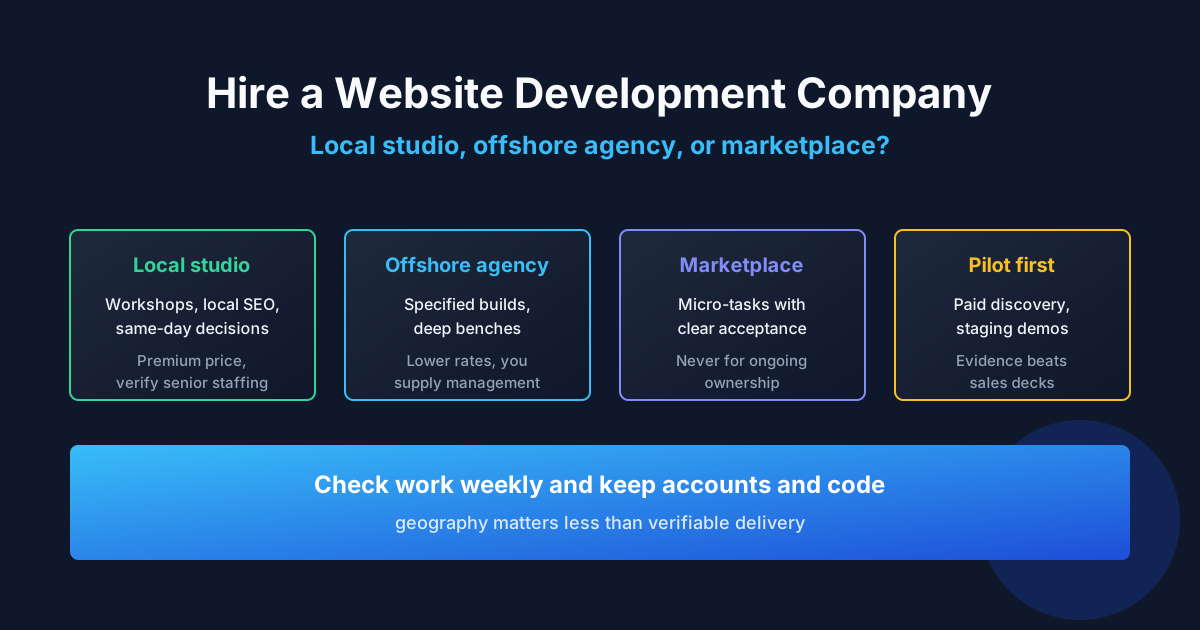
Repair when the failure is local and the codebase is otherwise healthy. Rescue when several things fail at once but the foundation — data model, framework version, hosting — is salvageable. Rebuild when the audit shows the foundation itself is the problem: unmaintained framework years past end-of-life, no repository, or repair estimates approaching rebuild cost with none of the rebuild's warranty. Our outsource-versus-hire comparison helps when the answer implies a longer engagement.
Decision shortcut: if two independent diagnoses both point at the foundation, believe them. Paying for a third patch on a condemned codebase is the costliest option on this page.
Case: checkout silently dropping orders
Starting point
A small store on WooCommerce noticed revenue dipping for two weeks before anyone connected it to the site: mobile Safari users could not complete payment, with no error message — the button simply did nothing.
What blocked progress
The failure was device-specific and silent, so the owner's tests on desktop showed nothing. Two freelancers quoted fixed prices without reproducing it, then stalled when their patches changed nothing.
Fix approach
A capped diagnosis block reproduced the failure on a real device, traced it to a payment plugin update conflicting with the theme's minified scripts, and documented the evidence. The repair — script exclusion plus sandbox transaction tests across devices — was then quoted fixed, verified on staging, and deployed with monitoring on failed checkouts.
Outcome
Checkout restored within the diagnosis-plus-fix envelope, and the new monitoring catches payment failures within minutes instead of weeks. The planning example: roughly a day of focused work plus prevention, versus weeks of silent revenue loss while unfocused patches cycled.
Case: hacked blog redirecting visitors to spam
Starting point
A business blog started redirecting mobile visitors to spam pages. Search Console flagged it, and the owner feared a ranking penalty on top of the embarrassment.
What blocked progress
A previous cleanup had removed the visible redirect but not the reinfection source — a nulled premium plugin with an obfuscated backdoor. The spam returned within days, twice.
Fix approach
Full cleanup: malware removal, backdoor hunt across the install, replacement of the nulled plugin with a licensed alternative, credential and key rotation, and hardening (updates policy, backups, file monitoring). Each step logged so the owner could verify.
Outcome
No recurrence in the warranty window, Search Console warning cleared after review request, and the owner finally owned licensed copies of everything. Lesson priced in: the nulled plugin's "savings" cost several cleanups.
Case: update that took down bookings
Starting point
A service business ran a routine WordPress update on a Friday evening. By Saturday morning the booking calendar showed no availability — every slot looked taken.
What blocked progress
No staging, no backup newer than two months, and the booking plugin's support queue quoting days. Weekend revenue evaporated while the owner waited.
Fix approach
Emergency slot: immediate rollback of the conflicting update on a cloned copy, verification that bookings returned, then production restore with a fresh backup taken first. Follow-up scheduled work moved updates to a staging-first routine with pre-update snapshots.
Outcome
Bookings restored the same weekend. The scheduled follow-up cost less than the emergency call and made the next update a non-event. The business now treats backups as part of revenue protection, not IT hygiene.
What to prepare before asking for a repair quote
Five things turn a vague "fix my site" into a quotable job: the exact failure with reproduction steps, hosting and domain access (or a named person who grants it), the last known working date and what changed since, error evidence (screenshots, logs, Search Console messages), and your definition of done. Providers quote faster and tighter when these arrive with the request — and the ones who still quote blind reveal themselves early.
Bring this package to our fix intake and the triage starts from evidence instead of a discovery call. For background on what professional upkeep looks like after the repair, see the custom website cost breakdown monthly-reality section.
FAQ about website repair costs
How much does it cost to fix a broken website?
It depends on the failure type: small visible bugs are the cheapest band, checkout and data failures need paid diagnosis first, and hacked or abandoned sites can approach rebuild cost. Get the failure diagnosed before accepting a fixed repair price.
Why do developers ask for an audit before quoting the repair?
Because quoting without diagnosis is guessing. The audit produces the root cause and a fixed repair quote — it prevents paying for patches that miss the real problem.
Is emergency website repair more expensive?
Yes. Emergency work interrupts scheduled jobs and happens outside hours, so it carries a surcharge for response time and dedicated attention. Use it for revenue-blocking or security-active failures only.
Should I choose hourly or fixed-price repair?
Fixed price for diagnosed failures with writable acceptance tests; hourly with a cap for unknown causes. The safest path for complex failures is audit-then-fixed.
How much does it cost to fix a hacked website?
Cleanup plus reinfection-source removal plus hardening. The patch alone is the smaller part; durable cost includes licensed replacements, credential rotation, and monitoring. Skipping hardening buys the same invoice again.
Is it cheaper to repair or rebuild a broken site?
Repair wins when the failure is local and the foundation is healthy. Rebuild wins when the framework is end-of-life, there is no repository, or repair estimates approach rebuild cost without a rebuild's warranty.
What should a repair quote include?
Diagnosed cause or paid diagnosis step, scope with acceptance tests, staging and backup handling, warranty terms, and handover notes. Vague line items without done-criteria are a red flag.
How long does a website fix take?
Small bugs resolve in a focused session once reproduced. Diagnosed checkout and performance fixes take days including testing. Rescues and rebuilds run in milestones over weeks. The bottleneck is usually access and approvals, not code.
Who owns the fix and the access afterward?
You should. Repository, hosting, domain, and third-party accounts stay business-owned; the provider works inside them and hands over change logs, rotated credentials, and prevention notes. Providers who insist on their own accounts are selling dependence.
How do I avoid the same failure again?
Budget the prevention line: backups with tested restores, staging-first updates, uptime and checkout monitoring, and licensed software only. Prevention costs a fraction of the second emergency.
Written by Michael Melnyk
Senior IT Technical Writer & Technology Analyst
Senior Technical Writer and IT Industry Analyst with over 7 years of experience analyzing software engineering ecosystems, tech leadership models, and developer procurement frameworks.